

Now Reading: 5 Best Budget Gaming Monitors for Competitive Play
-
01
5 Best Budget Gaming Monitors for Competitive Play

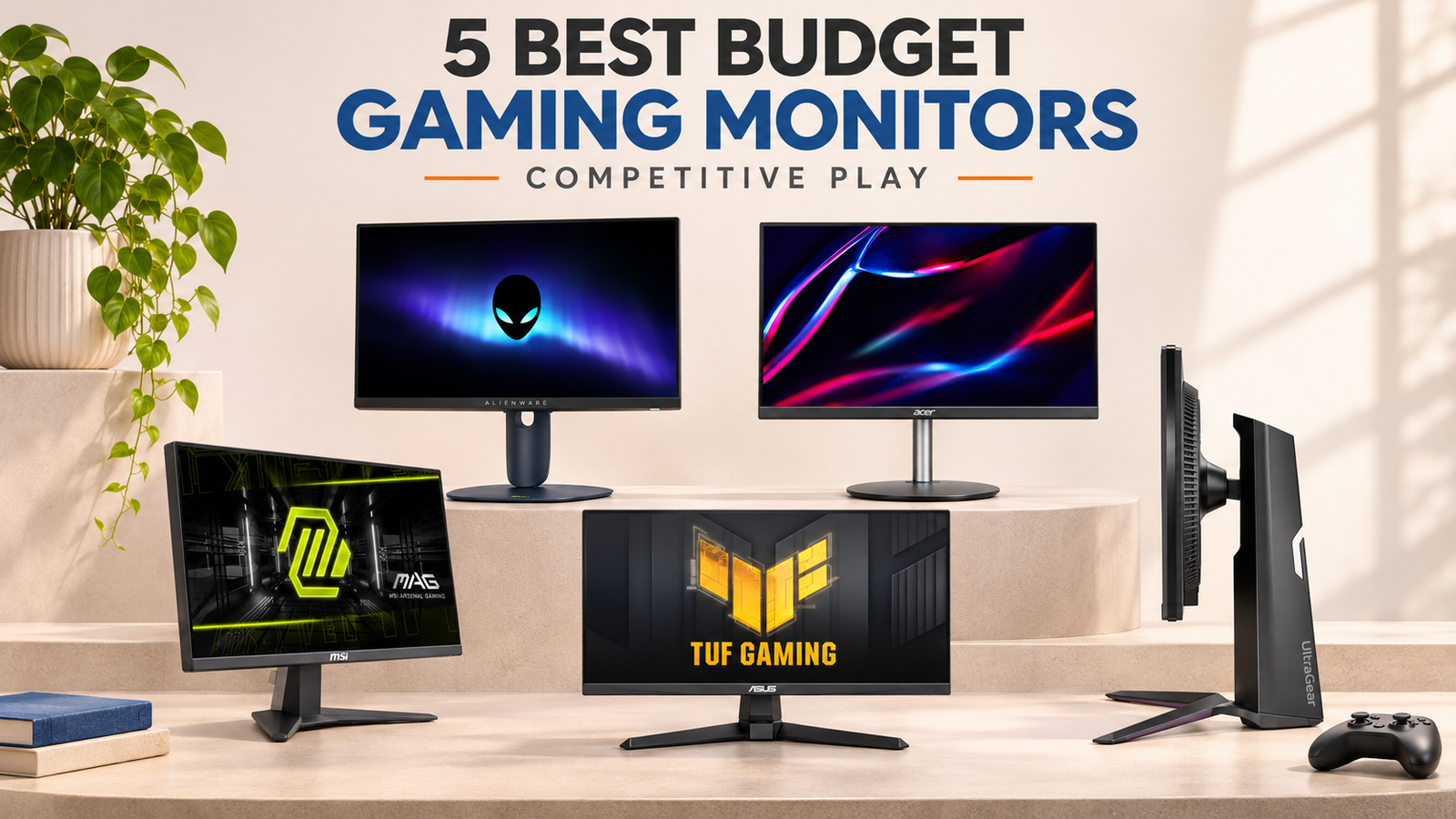
The MSI MAG 255XF is our best budget gaming monitor for competitive play because it combines a 24.5-inch Fast IPS panel, 300Hz refresh rate, Adaptive-Sync, and a $149.99 regular official-store price. Its biggest compromise is a tilt-only stand, and its HDMI inputs are limited to 240Hz. Use DisplayPort to access the full 300Hz mode.
The Alienware AW2525HM is the better step-up option when you want 320Hz and a fully adjustable stand. The ASUS TUF Gaming VG259Q5A provides a lower-cost 200Hz Fast IPS alternative with speakers, while the Acer Nitro XFA253Q ZBIIPR offers 250Hz and stronger stand ergonomics at a promotional price. The LG UltraGear 24GS65F-B is the easiest recommendation for players who value an IPS panel and a height-adjustable stand more than reaching 240Hz.
Table of Contents
Quick Comparison
| Rank | Monitor | Panel and size | Maximum refresh rate | Price checked | Best for | Main limitation |
|---|---|---|---|---|---|---|
| 1 | MSI MAG 255XF | 24.5-inch Rapid IPS, 1080p | 300Hz via DisplayPort | $149.99 regular, $139.99 promotion | Maximum refresh per dollar | Tilt-only stand; HDMI tops out at 240Hz |
| 2 | Alienware AW2525HM | 24.5-inch Fast IPS, 1080p | 320Hz via DisplayPort | $249.99 regular, $229.99 promotion | Better stand and premium step-up | Costs considerably more than MSI |
| 3 | ASUS TUF Gaming VG259Q5A | 24.5-inch Fast IPS, 1080p | 200Hz | $149 official-store price | Affordable IPS with speakers | Tilt-only desktop stand |
| 4 | Acer Nitro XFA253Q ZBIIPR | 24.5-inch VA, 1080p | 250Hz via DisplayPort | $219.99 regular, $139.99 promotion | High refresh plus full adjustment | VA response behavior needs independent review |
| 5 | LG UltraGear 24GS65F-B | 23.8-inch IPS, 1080p | 180Hz | $189.99 official price | Ergonomics and balanced everyday use | Lower refresh rate than similarly priced rivals |
Prices above were visible from official U.S. manufacturer stores on November 14. Promotional prices can end without notice.
How We Selected These Budget Competitive Monitors
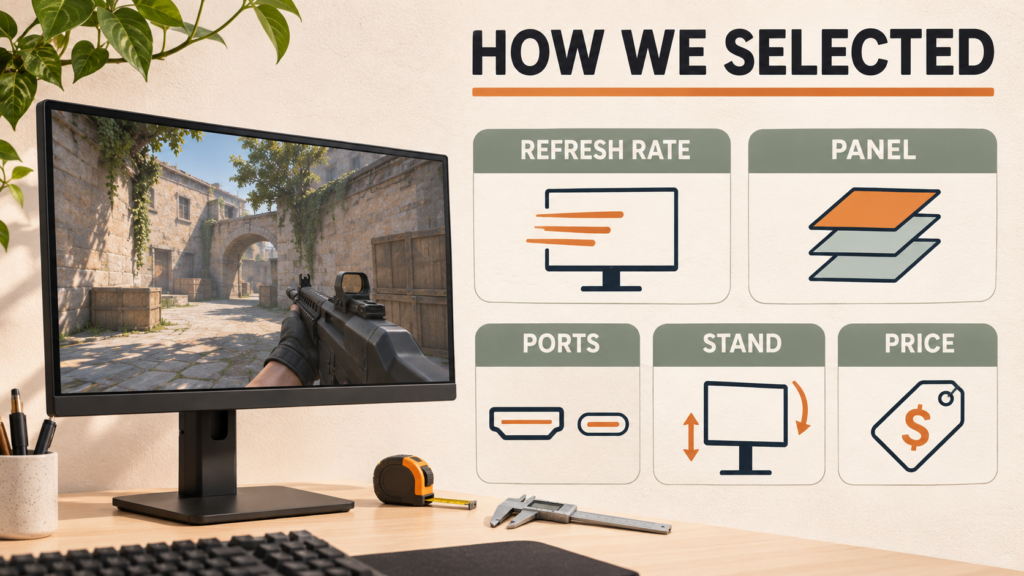
This comparison is designed for competitive PC players, not shoppers looking primarily for 4K detail, cinematic HDR, ultrawide immersion, or console use from a sofa.
Every selected monitor met these minimum requirements:
- At least 180Hz refresh rate
- Full HD resolution that a budget or midrange PC can drive at high frame rates
- Approximately 24 to 25 inches, a practical size for close desktop play
- DisplayPort input for PC connectivity
- Adaptive-sync support or a compatible variable-refresh feature
- Official U.S. pricing around $250 or less when researched
- Current official availability rather than a discontinued bargain that may be difficult to find
Refresh rate received significant weight because this article targets competitive play. It was not the only criterion. We also compared panel type, the maximum rate available through each input, stand adjustment, speakers, pricing, and whether the monitor creates extra costs such as needing a monitor arm.
Manufacturer response-time claims were recorded cautiously. A label such as 0.5ms minimum or 1ms does not describe every color transition or prove that the fastest overdrive setting looks clean. Independent motion testing remains important before buying.
TopRated5 did not physically test these monitors. Rankings are based on verified published specifications, current official pricing, availability, competitive-gaming suitability, connectivity, and meaningful limitations. Advertised response-time figures are manufacturer claims, not independent measurements.
1. MSI MAG 255XF: Best Overall Budget Pick
The MSI MAG 255XF offers the most aggressive verified specification-to-price combination in this group. Its 24.5-inch Rapid IPS panel runs at 1920 x 1080 and supports up to 300Hz through DisplayPort 1.4a. MSI lists two HDMI 2.0b inputs, but those connections support Full HD at up to 240Hz rather than the monitor’s full 300Hz rate.
The official MSI store listed the monitor at $149.99 regular price and $139.99 promotional price when checked. That places it below several 180Hz and 200Hz monitors while providing substantially more refresh-rate headroom.
Why It Ranks First
- 300Hz Rapid IPS panel at a budget official price
- DisplayPort 1.4a for the full refresh-rate mode
- Two HDMI 2.0b inputs for additional devices
- Adaptive-Sync support
- Compact 24.5-inch Full HD format suited to high-FPS games
The reason it ranks above the Alienware is value. The Alienware is faster and more adjustable, but the MSI reaches 300Hz for roughly $100 less at regular official pricing.
Important Limitations
The stand provides tilt adjustment only. If the screen is too low, you may need a riser or VESA monitor arm, reducing the apparent savings. The typical brightness specification is 250 nits, and the HDR-ready label should not be mistaken for premium HDR performance.
Most importantly, the full 300Hz mode requires DisplayPort. A player connecting through HDMI should expect a maximum of 240Hz according to MSI’s published specifications.
Who Should Choose It?
Choose the MSI if your PC can produce well above 200 FPS in competitive games and you want the most refresh-rate capacity possible near the $150 level. Consider another option if ergonomic adjustment matters more than maximum Hz.
Review the exact inputs and current price on the official MSI MAG 255XF product page.
2. Alienware AW2525HM: Best Step-Up Pick Under $250
The Alienware AW2525HM is the most complete monitor in this shortlist. It combines a 24.5-inch Fast IPS panel with 320Hz over DisplayPort, up to 255Hz through HDMI, AMD FreeSync Premium, G-SYNC compatibility, and a stand offering height, pivot, swivel, and tilt adjustments.
Dell listed it at $249.99 regular price and $229.99 promotional price when checked. That is substantially more than the MSI, but the extra money buys a faster ceiling and a much better included stand.
Why It Is the Best Step-Up Choice
- Highest refresh rate in this group at 320Hz
- Fast IPS panel
- Full ergonomic stand adjustment
- FreeSync Premium and G-SYNC compatibility
- DisplayPort and HDMI connectivity
For a player who wants a clean single-monitor desk setup without adding a separate arm, the Alienware may be a more practical purchase than a cheaper tilt-only display.
Important Limitations
The refresh-rate difference between 300Hz and 320Hz is small. At 300Hz, a refresh interval is approximately 3.33ms. At 320Hz, it is approximately 3.13ms. The Alienware’s real value is therefore not the extra 20Hz alone. It is the combination of high refresh, adaptive-sync support, and a fully adjustable stand.
HDMI is limited to 255Hz at 1080p, so DisplayPort remains the correct connection for accessing 320Hz. The higher purchase price may also make the MSI a better value if you already own a monitor arm.
Who Should Choose It?
Choose the Alienware if you want the strongest complete package below $250 and expect to keep the monitor through future PC upgrades. Skip it if you are unlikely to exceed 200 FPS or if the price difference would be better spent on a faster processor or graphics card.
Confirm current pricing and availability through the official Alienware AW2525HM listing.
3. ASUS TUF Gaming VG259Q5A: Best Affordable 200Hz IPS Monitor
The ASUS TUF Gaming VG259Q5A is a sensible starting point for players who want more than 165Hz without paying for a 300Hz setup. It uses a 24.5-inch Full HD Fast IPS panel and supports up to 200Hz.
ASUS lists Adaptive-Sync, AMD FreeSync Premium, NVIDIA G-SYNC compatibility, ELMB motion-blur reduction, two HDMI 2.0 ports, DisplayPort 1.4, and built-in stereo speakers. The official ASUS store price was $149 when checked.
Why It Is Worth Comparing
- 200Hz Fast IPS panel
- Adaptive-Sync, FreeSync Premium, and G-SYNC compatibility
- ELMB motion-blur-reduction mode
- Two HDMI inputs plus DisplayPort
- Built-in speakers for basic audio
- 300-nit listed brightness
This is a balanced choice for a PC that usually produces between 140 and 220 FPS. It offers enough headroom beyond 144Hz and 165Hz without making 300 FPS the target.
Important Limitations
The included desktop stand is tilt-only, even though the monitor supports VESA mounting. The speakers are convenient but should not be treated as a replacement for a gaming headset or dedicated speakers.
ELMB and adaptive-sync behavior can vary by operating mode. Confirm which features can work together and review independent measurements before choosing a motion-blur-reduction setting.
Who Should Choose It?
Choose the ASUS if your system cannot consistently use 300Hz, you want Fast IPS, and built-in speakers are useful. The MSI is the stronger specification value when both monitors cost around $150 and your PC can produce the higher frame rate.
See current specifications and sellers through the official ASUS VG259Q5A page.
4. Acer Nitro XFA253Q ZBIIPR: Best Budget Pick With a Fully Adjustable Stand
The exact Acer Nitro XFA253Q ZBIIPR configuration supports 250Hz through DisplayPort and 240Hz through HDMI. It uses a 24.5-inch Full HD VA panel and includes height, pivot, swivel, and tilt adjustment.
Acer listed a $219.99 regular price and $139.99 promotional price when checked. At the sale price, it offers an unusual combination of 250Hz and strong ergonomics.
Why It Made the List
- Up to 250Hz via DisplayPort
- Up to 240Hz via HDMI
- Height, pivot, swivel, and tilt adjustment
- AMD FreeSync Premium
- Two HDMI connections and DisplayPort
- Built-in speakers
The stand is its clearest advantage over the MSI and ASUS. A properly positioned screen can matter during long competitive sessions, and an adjustable stand avoids the immediate cost of a monitor arm.
Important Limitations
This model uses a VA panel rather than IPS. VA panels can offer stronger contrast, but pixel-transition behavior varies significantly by model and setting. Do not assume the advertised 1ms VRB figure guarantees clean motion in every scene.
Because the promotional discount is substantial, value changes sharply when the monitor returns to its regular price. At $219.99, the 320Hz Alienware becomes a stronger comparison if it remains near $229.99.
Be careful with the model number. Acer has several similarly named 24.5-inch Nitro monitors with different stands and refresh rates. Verify XFA253Q ZBIIPR before ordering.
Who Should Choose It?
Choose this Acer when the discounted price is active, stand adjustment is essential, and you have reviewed reliable motion measurements for the exact model. Consider an IPS alternative if fast dark transitions are a major concern.
Check the exact configuration on the official Acer Nitro XFA253Q ZBIIPR page.
5. LG UltraGear 24GS65F-B: Best for Ergonomics and Balanced Everyday Use
The LG UltraGear 24GS65F-B is the slowest monitor in the shortlist at 180Hz, but it remains a meaningful upgrade from 60Hz, 75Hz, 120Hz, or 144Hz. It uses a 23.8-inch Full HD IPS panel and includes height, tilt, and pivot adjustment.
LG lists HDR10, up to 99 percent sRGB coverage, NVIDIA G-SYNC compatibility, AMD FreeSync, DisplayPort, HDMI, Black Stabilizer, a crosshair, an FPS counter, and Dynamic Action Sync. Its official listed price was $189.99 when checked.
Why It Still Belongs Here
- 180Hz IPS panel
- Height, tilt, and pivot adjustment
- FreeSync and G-SYNC compatibility
- DisplayPort and HDMI connections
- Balanced feature set for gaming and everyday desktop use
Not every budget PC can produce 250 to 320 FPS. For a system that usually runs competitive games between 120 and 180 FPS, a better stand may be more useful than unused refresh capacity.
Important Limitations
At its official price, the LG competes against monitors offering 200Hz, 250Hz, or 300Hz. Its value depends on whether you prioritize the included stand, IPS panel, and LG feature set.
HDR10 compatibility does not by itself prove that a budget display can produce impactful HDR. Treat this primarily as a high-refresh SDR gaming monitor unless independent testing supports stronger HDR performance.
Who Should Choose It?
Choose the LG if you want a balanced IPS monitor, need height and pivot adjustment, and your PC normally stays below 180 FPS. Competitive players targeting 240 FPS or more should choose a faster model.
Verify the model and current sellers on the official LG 24GS65F-B page.
Side-by-Side Decision Table
| Priority | Best match | Why |
|---|---|---|
| Maximum refresh per dollar | MSI MAG 255XF | 300Hz Rapid IPS at a $149.99 regular official price |
| Best complete package | Alienware AW2525HM | 320Hz Fast IPS plus full stand adjustment |
| Affordable IPS with speakers | ASUS VG259Q5A | 200Hz, dual HDMI, DisplayPort, ELMB, and speakers |
| High refresh with ergonomic stand | Acer XFA253Q ZBIIPR | 250Hz plus height, swivel, pivot, and tilt |
| Balanced 180Hz everyday monitor | LG 24GS65F-B | IPS panel and useful height and pivot adjustment |
What Refresh Rate Do You Actually Need?
Refresh rate is the number of times a display can update each second. To benefit fully, the gaming PC must also render enough frames.
| Monitor rate | Refresh interval | Practical fit |
|---|---|---|
| 180Hz | 5.56ms | Budget and midrange competitive PCs |
| 200Hz | 5.00ms | Players regularly reaching 160 to 220 FPS |
| 240Hz | 4.17ms | Competitive players targeting roughly 200 FPS or more |
| 250Hz | 4.00ms | Similar use case to 240Hz with small extra headroom |
| 300Hz | 3.33ms | High-FPS esports systems |
| 320Hz | 3.13ms | Enthusiasts who can sustain several hundred FPS |
Moving from 180Hz to 300Hz shortens the refresh interval by approximately 2.23ms. That difference is real, but it will not compensate for unstable frame pacing, slow pixel transitions, or a PC that rarely exceeds 160 FPS.
Why 24 to 25 Inches Works for Competitive Play
A 24 to 25-inch Full HD display creates a practical balance between size, pixel density, desk space, and graphics demand. The compact view helps players monitor the minimap, status information, center action, and corners without excessive head movement.
Full HD is also easier to render at high frame rates than 1440p or 4K. That does not guarantee high FPS, since the processor, graphics card, game engine, and settings still matter, but it gives budget systems a more realistic path to 180Hz, 240Hz, or 300Hz operation.
For a deeper size comparison, see why a 24-inch monitor works well for gaming.
IPS vs VA for a Budget Esports Monitor
Four monitors in this shortlist use an IPS-family panel. The Acer uses VA.
IPS
IPS panels generally provide wide viewing angles and consistent color presentation. Fast IPS and Rapid IPS are manufacturer terms for speed-focused IPS implementations. These labels do not prove identical response performance across brands.
VA
VA panels commonly provide stronger native contrast than IPS, which can help dark scenes look deeper. Their transition behavior can vary, particularly between darker shades. Independent measurements should determine whether the exact model is suitable for your preferred games.
Do not choose from panel type alone. A well-tuned monitor can outperform a poorly tuned model using the same broad panel technology.
Response Time Claims Need Context
Listings frequently advertise 0.3ms, 0.5ms, or 1ms response times. These figures may represent a minimum gray-to-gray transition, a selected overdrive mode, or a motion-picture response measurement.
They do not tell you:
- How every transition performs
- Whether the fastest setting causes inverse ghosting
- How the monitor behaves at 120Hz or 180Hz
- Whether one overdrive mode works well throughout the VRR range
- The display’s complete input lag
Use the manufacturer figure to understand the claimed mode, but use independent instrumented reviews to compare actual motion behavior.
Check the Connection Before Buying
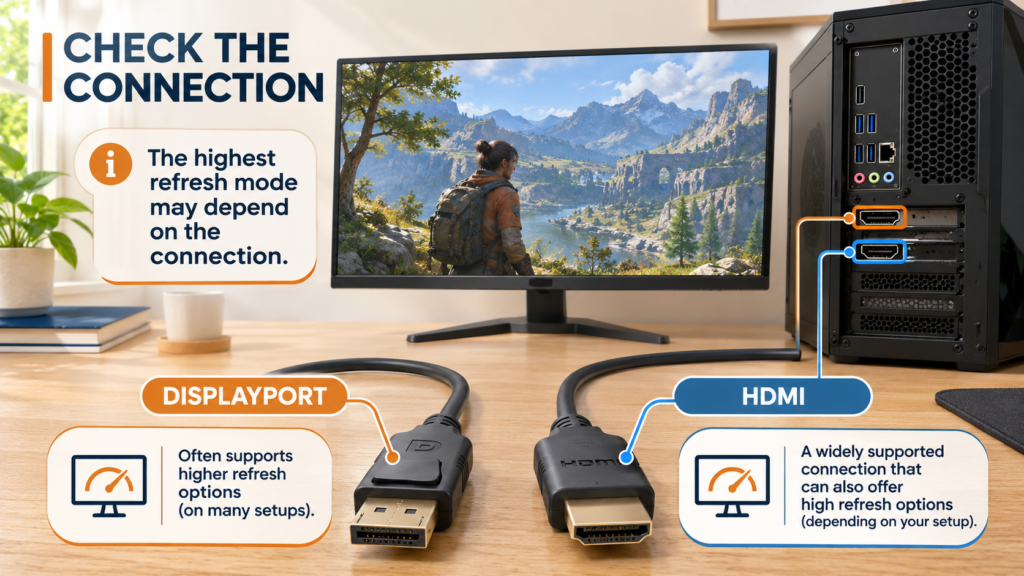
The maximum refresh rate may depend on the input:
- MSI MAG 255XF: 300Hz through DisplayPort, 240Hz through HDMI
- Alienware AW2525HM: 320Hz through DisplayPort, 255Hz through HDMI
- Acer XFA253Q ZBIIPR: 250Hz through DisplayPort, 240Hz through HDMI
- ASUS VG259Q5A: up to 200Hz with supported connections
- LG 24GS65F-B: up to 180Hz with supported connections
Use the cable supplied or recommended for the required mode, connect directly to the graphics card rather than the motherboard when using a dedicated GPU, and enable the maximum refresh rate in Windows after installation.
Budget for the Stand, Not Just the Screen
A tilt-only stand can be acceptable when the desk and seating height already line up. Otherwise, the top of the screen may sit too low.
The MSI and ASUS have tilt-only stands. The Alienware and Acer offer height, pivot, swivel, and tilt. The LG offers height, tilt, and pivot.
If you need to add a $30 to $60 monitor arm, include that in the total cost. A slightly more expensive monitor with a better stand can become the better budget purchase.
Common Buying Mistakes
Buying 300Hz for a PC That Produces 120 FPS
A faster monitor can still work at lower rates, but unused refresh headroom should not take priority over a needed CPU, GPU, or memory upgrade.
Assuming the Box’s Response-Time Number Is a Complete Test
Minimum response claims cannot replace measured transition, overshoot, and input-lag data.
Using HDMI and Expecting the DisplayPort Maximum
Several monitors in this comparison reach their highest rate only through DisplayPort.
Ignoring the Exact Model Suffix
Similar Acer, LG, ASUS, MSI, and Alienware names can describe different panels, stands, ports, or regional versions. Match the entire model number.
Paying Extra for Basic HDR Labels
HDR signal support does not guarantee strong brightness, local dimming, black levels, or impactful HDR presentation.
Forgetting to Change Windows Settings
After connecting the monitor, open Settings > System > Display > Advanced display and select the intended refresh rate.
Who Should Choose Which Monitor?
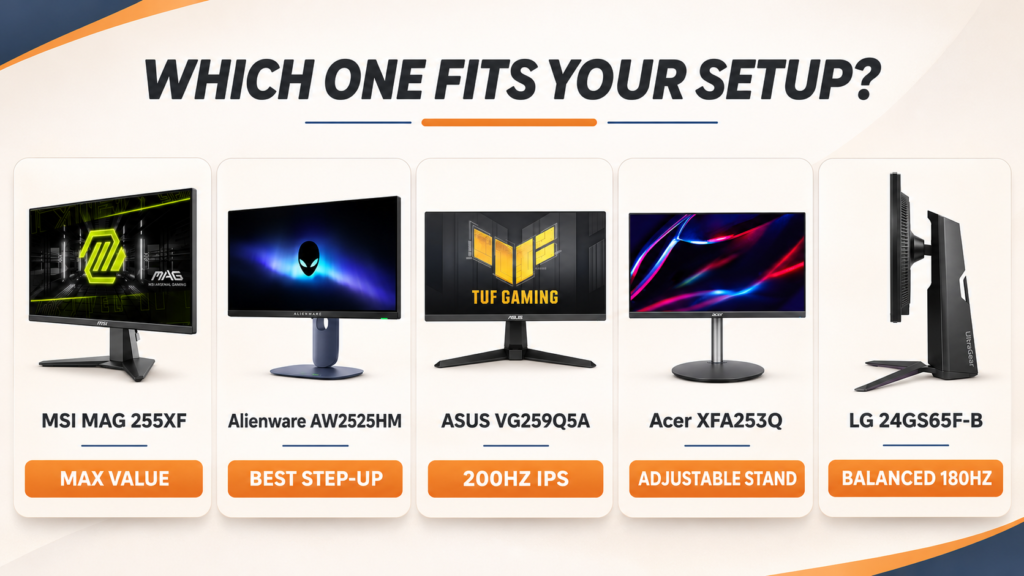
Choose the MSI MAG 255XF if you want the strongest refresh-rate value and can accept a tilt-only stand.
Choose the Alienware AW2525HM if you want 320Hz, full stand adjustment, and a more complete package below $250.
Choose the ASUS TUF VG259Q5A if 200Hz matches your PC and you value Fast IPS, dual HDMI, and built-in speakers.
Choose the Acer Nitro XFA253Q ZBIIPR if it is discounted, you need a fully adjustable stand, and independent motion testing satisfies your requirements.
Choose the LG UltraGear 24GS65F-B if your system stays below 180 FPS and you prefer a balanced IPS monitor with useful ergonomic adjustment.
You can also compare broader premium and non-budget choices in the TopRated5 gaming-monitor roundup or browse related advice in Gaming Accessories.
Frequently Asked Questions
What Is the Best Budget Gaming Monitor for Competitive Play?
The MSI MAG 255XF is our best overall research-based choice because it offers a 300Hz Rapid IPS panel for a $149.99 regular official price. The Alienware AW2525HM is the better step-up choice when a fully adjustable stand and 320Hz matter.
Is 180Hz Enough for Competitive Gaming?
Yes. A good 180Hz monitor can suit competitive players whose systems normally produce between roughly 120 and 180 FPS. Players consistently exceeding 200 FPS can make better use of 240Hz, 300Hz, or 320Hz.
Is 240Hz Better Than 180Hz?
240Hz updates more frequently, with a 4.17ms refresh interval compared with 5.56ms at 180Hz. The improvement matters most when the PC produces high, stable frame rates and the panel has sufficiently fast pixel transitions.
Do I Need 300 FPS for a 300Hz Monitor?
No. The monitor still works below 300 FPS, especially with adaptive sync. Producing close to 300 FPS allows it to show more unique rendered frames and makes fuller use of the refresh ceiling.
Is IPS Better Than VA for Competitive Play?
IPS is often the safer starting point for a budget competitive monitor, but panel type does not guarantee performance. Response tuning, overshoot, input lag, and motion behavior must be measured on the exact model.
Should I Buy 1080p or 1440p for Competitive Gaming?
Choose 1080p when maximum frame rate and lower system requirements matter most. Choose 1440p when extra sharpness is worth the additional graphics load and your PC can still reach the desired FPS.
Can These Monitors Be Used With a Console?
They can accept console signals through HDMI, but they are selected primarily for competitive PC gaming. A console will not use the 200Hz, 250Hz, 300Hz, or 320Hz PC modes. Verify the monitor’s supported HDMI resolution, 120Hz operation, VRR compatibility, and audio setup for your specific console.
Final Verdict
The MSI MAG 255XF is the best budget gaming monitor for competitive play for shoppers prioritizing refresh rate per dollar. Its 300Hz Rapid IPS panel and $149.99 regular official price make it difficult to overlook. Plan for a monitor arm or riser if the tilt-only stand does not position the screen correctly.
The Alienware AW2525HM is worth the higher price when you want 320Hz and a fully adjustable stand. The ASUS VG259Q5A is the balanced lower-demand option at 200Hz, while the Acer XFA253Q ZBIIPR becomes particularly attractive when its promotional price is active. Choose the LG 24GS65F-B when 180Hz matches your PC and ergonomics matter more than maximum refresh.
Before purchasing, check the current official price, verify the entire model number, confirm which input enables the advertised refresh rate, and review independent motion measurements. The biggest specification is not automatically the best monitor for your actual PC.
Affiliate disclosure: TopRated5 may earn a commission if you purchase through links on this page. This does not change the price you pay, and commercial relationships do not determine our rankings.
Stay Informed With the Latest & Most Important News
Previous Post
Next Post










-
 01is 24 inch monitor good for gaming? Is It the Right Size?
-
 02How to Connect a Gaming Monitor to a PC Without Losing Hz
-
 03Are Curved Monitors Good for Gaming? Curved vs Flat Monitor
-
 045 Best Gentle CBD Products for Pets: Lower-Strength Oils and Chews
-
 05Is 120Hz Good for Gaming? Enough or Too Slow?
-
 06Best refresh rate for Gaming: 120Hz, 165Hz, or 240Hz?
-
 075 Best Budget Gaming Monitors for Competitive Play