Now Reading: Are Curved Monitors Good for Gaming? Curved vs Flat Monitor
-
01
Are Curved Monitors Good for Gaming? Curved vs Flat Monitor

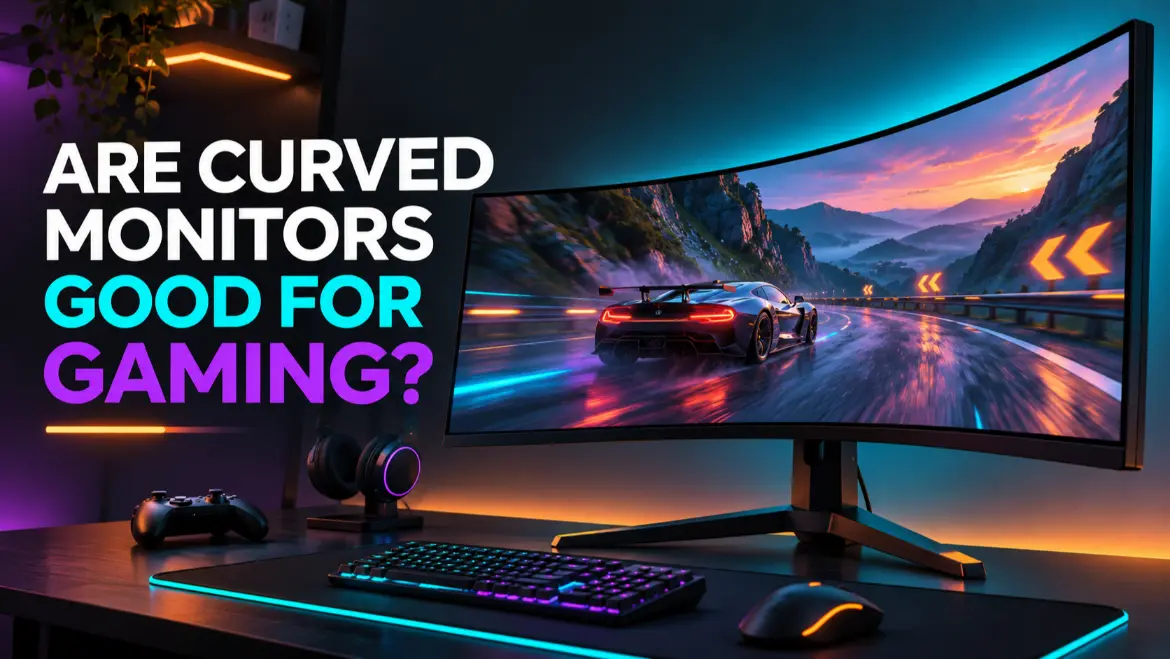
Are Curved Monitors Good for Gaming? Yes, curved monitors can be very good for gaming, especially on large 32-inch screens and 34-inch or wider ultrawide displays. The curve brings the outer edges closer to your viewing position, which can make racing games, flight simulators, open-world adventures, and cinematic titles feel more immersive.
Table of Contents
However, a curved screen is not automatically faster or better than a flat screen. Curvature does not increase refresh rate, shorten response time, reduce input lag, improve resolution, or add variable refresh rate. Those performance specifications depend on the monitor itself.
For many competitive FPS players, a fast 24-inch or 27-inch flat monitor remains the more practical option. For players who want a wraparound experience on a large display, a curved gaming monitor can be an excellent choice.
The Short Answer
Choose a curved monitor if you:
- Want deeper immersion in racing, simulation, open-world, or cinematic games.
- Plan to buy a 32-inch, 34-inch ultrawide, or larger screen.
- Sit centered directly in front of one monitor.
- Want the edges of a wide screen to feel closer and easier to view.
- Prefer a single large display instead of two separate monitors.
Choose a flat monitor if you:
- Mainly play competitive shooters or esports titles.
- Want a compact 24-inch or 27-inch setup.
- Share the screen, frequently view it from the side, or use several monitors.
- Need straight lines to look geometrically straight for design work.
- Can buy a better-performing flat monitor for the same budget.
The best choice is not simply curved versus flat. Size, resolution, refresh rate, response performance, variable refresh rate, panel quality, ports, and price matter more than the shape alone.
What Does a Curved Monitor Actually Do?
A curved monitor bends its left and right edges toward the viewer. On a wide screen, this places more of the display at a similar distance from someone sitting in the center.
That physical shape can make a game feel more enveloping. Instead of the outer edges appearing to stretch away from you, they angle inward toward your peripheral vision. Independent display testing from RTINGS’ curved-versus-flat monitor guide notes that the effect is particularly useful when you sit close to an ultrawide display.
The benefit becomes more noticeable as the display gets wider. A curve on a small 24-inch, 16:9 screen may feel subtle. On a 34-inch, 21:9 ultrawide or a 49-inch, 32:9 super-ultrawide, the curve can make the outer portions of the screen easier to take in without turning your head as much.
Curvature is therefore a viewing-experience feature, not a gaming-speed feature.
Curved vs Flat Monitor for Gaming
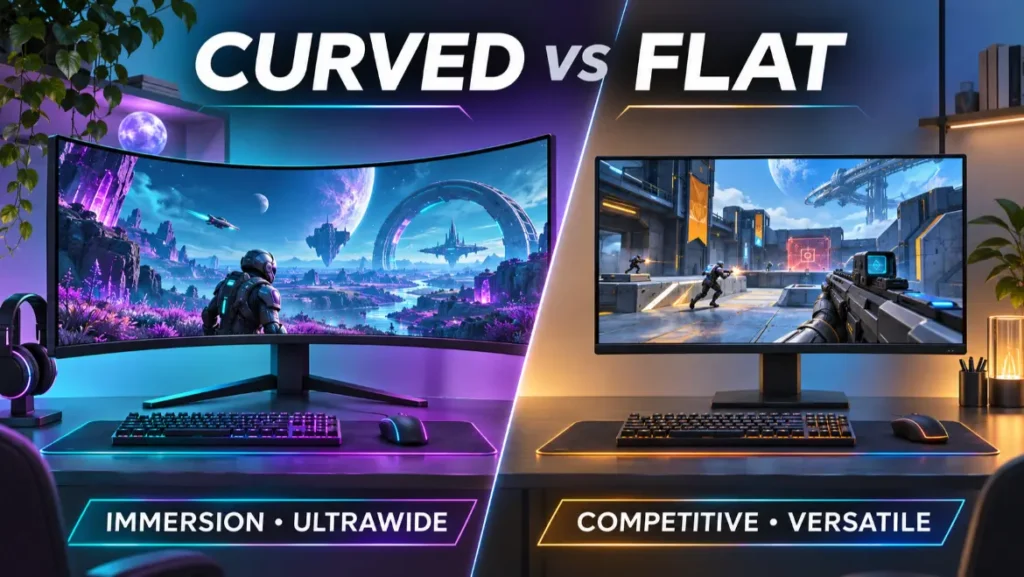
| Consideration | Curved monitor | Flat monitor |
|---|---|---|
| Immersion | Stronger on large and ultrawide screens | Familiar, but less wraparound |
| Competitive gaming | Good if the panel is fast, but the curve adds no speed | Often preferred for compact esports setups |
| Screen size | Most useful at 32 inches and above | Works well at every common size |
| Viewing position | Best from the center | More flexible for side viewing and sharing |
| Ultrawide gaming | Usually the more comfortable shape | Very wide flat screens can feel distant at the edges |
| Straight-line accuracy | Lines can appear slightly bowed at first | Geometry appears conventional |
| Multi-monitor setup | Curves can be harder to align | Easier to arrange consistently |
| Desk space | May need more depth and careful positioning | Usually simpler to place or wall-mount |
| Performance | Depends on refresh rate, response time, and input lag | Depends on the same specifications |
| Value | May cost more for the shape or ultrawide format | More choices at most budgets |
Neither format wins every category. The better display is the one that fits your games, desk, hardware, and viewing position.
5 Reasons Curved Monitors Can Be Good for Gaming
1. More Immersive Gameplay
Immersion is the clearest reason to buy a curved gaming monitor. When the display fills more of your horizontal view, a curve can make the scene feel as if it surrounds you instead of sitting on a flat rectangle in front of you.
This effect works especially well in:
- Racing and driving simulators
- Flight and space simulators
- Open-world role-playing games
- Exploration and adventure games
- Cinematic single-player games
Samsung’s current gaming-monitor buying guide similarly identifies open-world games and driving simulators as strong use cases for larger curved displays. Manufacturer guidance is naturally promotional, but the basic geometry is straightforward: on a wide display, the edges physically angle toward the player.
2. Curves Suit Ultrawide Screens
Curved and ultrawide are separate features, but they complement each other. A 21:9 monitor gives you more horizontal screen space than a standard 16:9 display. A 32:9 screen is wider still.
On a flat ultrawide, the far corners can seem noticeably farther away. A curve reduces that difference and makes the screen feel more cohesive from a centered position. This is why many 34-inch and larger ultrawide gaming monitors are curved.
Before buying, confirm that your favorite games support the monitor’s native aspect ratio. Some titles provide excellent 21:9 or 32:9 support, while others may show black bars, crop cinematics, reposition interface elements, or require 16:9 output.
3. The Edges Can Be Easier to See From the Center
On a large screen, you need to scan from the center to the corners. A curved display brings those corners closer to you, so the viewing angle toward the outer screen is less severe.
This can be useful on some VA panels, which may show more color or brightness change when viewed off-axis. The curve does not change the panel technology, but it can orient more of the surface toward a centered player.
The benefit depends on your position. If you sit far to one side, the geometry works against you. Curved displays are designed primarily for one centered viewer.
4. A Single Curved Screen Can Replace a Dual-Monitor Gaming Setup
A large curved ultrawide can provide the horizontal workspace of multiple smaller displays without a bezel running through the center. That is attractive for simulation rigs, strategy games, streaming tools, and general multitasking.
It can also simplify cable management. However, one large screen is not always the same as two independent displays. Check whether the monitor supports picture-by-picture input, how your operating system handles window snapping, and whether your games work correctly at the native resolution.
5. The Experience Can Feel More Natural on a Very Wide Display
The goal of a curve is not to make a game three-dimensional. It simply changes how the panel is positioned around you. On a correctly sized desk, with your chair centered and the monitor at a sensible distance, the effect can feel less like looking across a wide flat surface.
This advantage is highly personal. Some players immediately prefer it, while others barely notice after a few days. If possible, view a curved monitor in person before committing to an aggressive curve.
The Disadvantages of Curved Gaming Monitors
Curvature Does Not Improve Gaming Performance
A 240Hz flat monitor is still smoother than a 144Hz curved monitor, assuming the computer can produce enough frames. A well-tuned flat display can have clearer motion and lower input lag than a slower curved model.
When comparing products, prioritize:
- Resolution appropriate for the screen size and your GPU.
- Refresh rate appropriate for the games you play.
- Real response performance, not just the fastest advertised setting.
- Low input lag at your intended resolution and refresh rate.
- Variable refresh rate compatibility and usable range.
- HDMI and DisplayPort capabilities needed by your PC or console.
- Panel quality, contrast, HDR performance, color, warranty, and price.
The curve should come after those essentials, not before them.
Competitive Players May Prefer a Flat Screen
Competitive gamers often favor smaller, high-refresh flat monitors because the whole image fits within a compact field of view. That can make the minimap, crosshair, health information, and opponents easier to monitor with small eye movements.
A curved screen can still perform brilliantly in an FPS if it has excellent motion handling and low latency. The issue is not that a curve makes aiming inherently inaccurate. It is that a very large or very wide display may be less efficient for a player who values concentrated visibility over immersion.
ASUS’ flat-versus-curved monitor guide also recommends flat displays for competitive FPS play while positioning curved screens for AAA games and simulators. Treat that as general buying guidance rather than a rule. Your familiarity with a display matters too.
Straight Lines May Look Bowed at First
Web pages, spreadsheets, architecture, and graphic-design grids contain straight horizontal lines. On a curved monitor, those lines can appear slightly curved, especially until your eyes adapt.
This is rarely distracting during fast-moving games, but it matters if the same monitor is used for precise illustration, layout, CAD, or other geometry-sensitive work. A flat monitor is the safer mixed-use choice when exact visual geometry is essential.
Side Viewing Is Less Convenient
A curve works best when you sit near its center. Friends watching from an angle may see a less natural image or may not see the whole display comfortably. Strong curves can also be awkward for local co-op if two players sit side by side.
Flat displays generally offer more predictable viewing for groups, although actual color and contrast consistency still depend on panel technology and viewing angles.
Reflections Can Look Different
Because a curved screen faces several directions, it can catch and spread reflections differently from a flat display. Depending on the curve, coating, window position, and lamps, reflected light may stretch across the panel or concentrate in a particular area.
Do not assume curvature solves glare. Place the monitor so windows and strong lights are not directly reflected, and evaluate the screen coating when reading professional reviews.
Curved Monitors Can Be Harder to Mount or Combine
Curved displays may project farther from a wall, require a stronger arm, or need more desk depth. Multi-monitor alignment can also be more complicated when mixing curves, sizes, and panel types.
Before using a monitor arm, verify the display’s weight without the stand, VESA pattern, depth, and the arm’s supported load. Large ultrawides create more leverage than their weight alone may suggest.
What Do 1000R, 1500R, and 1800R Mean?
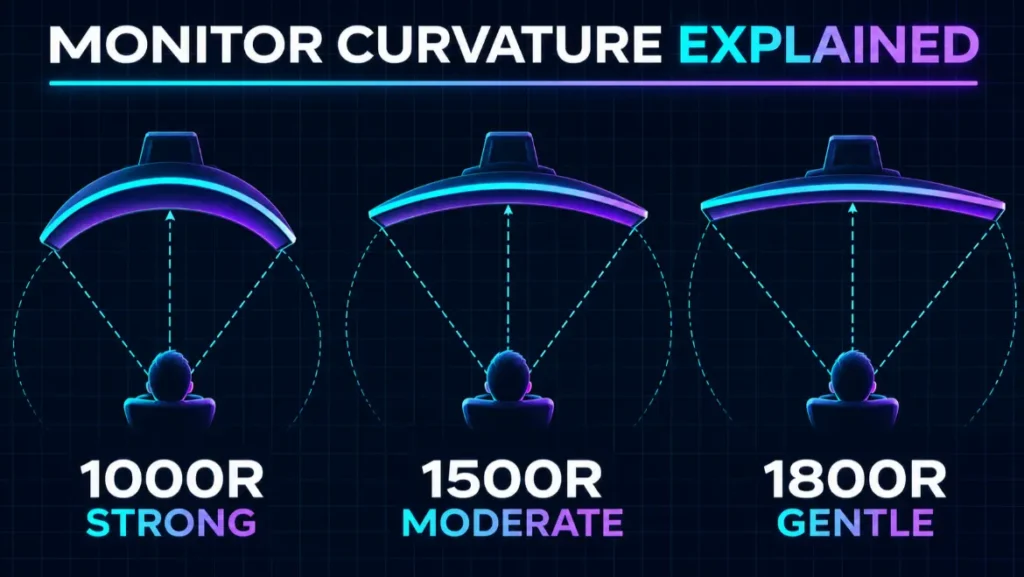
The R number describes the radius of the imaginary circle that would match the monitor’s curve. It is measured in millimeters.
- 1000R: A stronger curve based on a 1,000 mm radius.
- 1500R: A moderately strong curve based on a 1,500 mm radius.
- 1800R: A gentler curve based on a 1,800 mm radius.
A lower R number means a stronger curve.
The radius can be a helpful viewing-distance reference, but it is not a command to sit at one exact point. Your ideal position also depends on screen size, resolution, eyesight, desk depth, and personal comfort.
Which Curvature Is Best for Gaming?
There is no universal best curve, but these are sensible starting points:
| Curvature | General feel | Often suits |
|---|---|---|
| 800R to 1000R | Strong and enveloping | Very large ultrawides, close centered gaming, simulation rigs |
| 1500R | Noticeable but less extreme | 32-inch displays and 34-inch ultrawides |
| 1800R to 1900R | Gentle and easier to adapt to | First-time buyers, mixed gaming and work |
Do not compare the R number alone. The same curve can feel very different across screen sizes and aspect ratios. A gentle curve may be enough for a 32-inch 16:9 monitor, while a 49-inch super-ultrawide can benefit from a stronger wraparound shape.
Is a Curved Monitor Good at 24, 27, 32, or 34 Inches?
24-Inch Curved Monitor
At 24 inches, curvature usually adds little because the screen is already compact. If competitive gaming, desk space, price, and high refresh rate are your priorities, a flat model often offers more choice and value.
That does not make a 24-inch curved monitor bad. It can still be enjoyable if you like the appearance, but the curve should not outweigh better motion performance or connectivity.
27-Inch Curved Monitor
A 27-inch curved monitor is a preference-driven middle ground. The curve is more noticeable than at 24 inches, yet a 27-inch flat screen is already easy to view from a normal desk distance.
At this size, compare overall quality carefully. For many gamers, 2560 × 1440 at a high refresh rate is a strong balance, whether the panel is flat or curved.
32-Inch Curved Monitor
Curvature becomes more useful at 32 inches because the edges extend farther from the center. A gentle or moderate curve can make a large 16:9 screen more comfortable to scan from a centered seat.
Resolution matters. A 32-inch 1080p display has relatively low pixel density for close desktop use. A 1440p or 4K screen will generally look sharper, but higher resolutions demand more graphics performance at native resolution.
34-Inch Ultrawide Curved Monitor
A 34-inch, 21:9 curved monitor is one of the most convincing uses of curvature. The added horizontal view pairs well with racing, simulation, RPG, and cinematic games, and the curve brings the far edges toward you.
The common 3440 × 1440 resolution is more demanding than standard 2560 × 1440. Confirm that your graphics card can achieve the frame rates you want and that your games support ultrawide output well.
49-Inch Super-Ultrawide Curved Monitor
A 49-inch, 32:9 display can create a dramatic cockpit-like experience. It can also be expensive, GPU-intensive, physically deep, and dependent on strong game support.
Measure the desk before buying. Check the monitor’s full width, stand footprint, weight, port bandwidth, native resolution, and whether the games you play handle 32:9 correctly.
Are Curved Monitors Good for FPS Games?
They can be, but curvature is not an FPS advantage. A curved monitor with a high refresh rate, low input lag, and fast response performance can deliver excellent shooter gameplay. The deciding factor is the monitor’s motion quality, not its shape.
For ranked competitive play, many people prefer a 24-inch or 27-inch flat screen because it keeps the interface and action in a compact area. For casual shooters, battle royales, and cinematic first-person games, a larger curved display can feel more immersive.
If you play both competitive and story-driven games, decide which priority matters most:
- Choose compact and fast for concentrated competitive play.
- Choose large, wide, and curved for atmosphere and peripheral involvement.
- Choose the model with the better measured performance if the shape is your only uncertainty.
Are Curved Monitors Good for PS5 and Xbox?
A curved 16:9 monitor can work with a console just like a flat 16:9 monitor, provided its HDMI connection supports the resolution, refresh rate, HDR, and variable refresh rate features you want.
Be more careful with ultrawide monitors. Console output and game presentation commonly target 16:9, so an ultrawide panel may display black bars at the sides or rely on a stretched image. Support varies by device, game, monitor, and mode, so verify the exact combination before buying.
For console use, check:
- Supported resolution and refresh rate over HDMI
- HDMI version and bandwidth
- Variable refresh rate compatibility
- HDR capabilities and actual HDR performance
- Whether the monitor accepts the console’s output format
- Audio output, since many monitors lack useful speakers
- Aspect-ratio controls that preserve the image without stretching
Curvature itself creates no compatibility problem. Aspect ratio and port support are the important parts.
How Far Should You Sit From a Curved Gaming Monitor?
Start at a distance where you can see the whole display comfortably without leaning, excessive eye movement, or frequent head turning. Then adjust the screen and chair gradually.
Useful setup principles include:
- Sit directly in front of the horizontal center.
- Keep the top portion of the screen around eye level or slightly below it.
- Use a distance that keeps text readable without moving uncomfortably close.
- Move back if you must turn your head repeatedly to see interface elements.
- Move closer only if the full display remains comfortable to scan.
- Reduce glare and use comfortable room lighting.
The R value can guide expectations: a 1000R monitor is designed around a tighter radius than an 1800R display. Still, screen size and comfort should determine the final position.
What Matters More Than Curvature?
If two monitors have different shapes, do not let the curve distract you from the specifications that determine real gaming performance.
Refresh Rate
A higher refresh rate allows the screen to show more frames each second. It can make motion look smoother and controls feel more immediate when your PC or console produces the required frame rate.
Response Performance
Pixel response describes how quickly pixels transition between shades. Slow transitions can create visible blur, dark smearing, or inverse ghosting. Advertised response-time numbers rarely tell the whole story, so consult detailed independent testing.
Input Lag
Input lag is the delay between the source signal and the image appearing. Most modern gaming monitors are responsive at their native refresh rate, but measured results are more useful than assumptions.
Variable Refresh Rate
Variable refresh rate synchronizes the monitor’s refresh behavior with fluctuating frame output to reduce tearing and judder. Check the supported range and compatibility with your graphics card or console.
Resolution and GPU Demand
More pixels can produce a sharper image but require more rendering power. A 3440 × 1440 ultrawide and a 4K screen place significantly different loads on a GPU than a 1920 × 1080 monitor.
Panel and Image Quality
Contrast, black levels, brightness, color, HDR performance, viewing angles, and motion behavior vary across OLED, IPS, and VA displays. Panel labels provide a starting point, not a guarantee of quality.
For examples of how brands approach these tradeoffs, see TopRated5’s Top 5 Gaming Monitors for Ultra-Smooth Gameplay and browse the Gaming Accessories category.
How to Choose Between Curved and Flat

Use this quick decision process:
Step 1: Choose Your Size and Aspect Ratio
Start with the physical screen and format that suit your desk and games. A 24-inch 16:9 monitor solves a different problem from a 34-inch 21:9 or 49-inch 32:9 display.
Step 2: Match the Resolution to Your Hardware
Choose a resolution your GPU or console can drive at the frame rate you want. Do not buy an enormous high-resolution display and assume curvature will compensate for low performance.
Step 3: Prioritize Measured Gaming Performance
Compare refresh rate, response behavior, input lag, variable refresh rate, and port capabilities. Reject a curved model if it performs substantially worse than a similarly priced flat option.
Step 4: Consider Your Main Games
Curved ultrawide displays are compelling for racing, simulation, exploration, and atmospheric games. Compact flat monitors remain excellent for competitive shooters and fighting games.
Step 5: Check Your Seating Position
A curved display is most convincing for one person seated in the center. A flat screen is more flexible for sharing, side viewing, couch use, and some multi-monitor arrangements.
Step 6: See the Curve in Person if Possible
Curvature is subjective. An 800R or 1000R display can feel wonderfully enveloping to one player and too aggressive to another. A store demonstration is more useful than guessing from product photos.
Frequently Asked Questions
Do curved monitors give you an advantage in games?
Not inherently. They may improve immersion and make a wide screen easier to view from the center, but they do not reduce input lag or increase refresh rate by themselves. Competitive advantage depends more on performance, size, visibility, and player preference.
Is 1000R or 1800R better for gaming?
1000R is stronger and can feel more enveloping at close range. 1800R is gentler and often easier for first-time curved-monitor users. The best choice depends on screen size, aspect ratio, desk depth, and personal comfort.
Is a curved monitor worth it for a 27-inch screen?
It can be, but the benefit is modest compared with a large ultrawide. At 27 inches, prioritize resolution, refresh rate, motion performance, variable refresh rate, and price before curvature.
Is a curved monitor better for a 32-inch screen?
A curve can be more useful at 32 inches because the screen edges are farther from the center. It is still a preference, and a high-quality flat 32-inch display can be equally good for gaming.
Does a curved monitor reduce eye strain?
Do not treat curvature as a medical solution. It can reduce the distance difference between the center and edges of a wide screen for a centered viewer, but visual comfort also depends on brightness, glare, text size, viewing distance, breaks, eyesight, and room lighting.
Are curved monitors bad for work?
No. Curved ultrawides can be excellent for timelines, large spreadsheets, and multitasking. A flat screen may be preferable for geometry-sensitive design work, screen sharing, or multi-monitor arrangements.
Can you mount a curved monitor?
Often yes, if the monitor supports a VESA mounting pattern and the arm or wall mount can handle its weight and dimensions. Confirm compatibility before buying, especially for heavy ultrawides.
Do all games support ultrawide curved monitors?
No. Curvature does not affect software support, but unusual aspect ratios do. Some games support 21:9 and 32:9 very well, while others use black bars, limited cinematics, or fixed interface layouts.
Final Verdict: Are Curved Monitors Good for Gaming?
Curved monitors are good for gaming when the curve serves the size and style of the setup. They make the strongest case on 32-inch and larger displays, especially 34-inch ultrawides and simulation-focused screens. The inward edges can make expansive games feel more enveloping and can make a wide panel easier to view from a centered seat.
They are not a universal upgrade. A curve adds no refresh rate, response speed, or latency advantage, and it may be less practical for competitive esports, side viewing, exact design work, or compact desks. A fast, well-reviewed flat monitor is better than a curved monitor with weaker performance.
For most buyers, the rule is simple: choose curved for wide-screen immersion and choose flat for compact versatility. Then judge the actual monitor by its measured gaming performance, not by its shape alone.