Now Reading: Is 120Hz Good for Gaming? Enough or Too Slow?
-
01
Is 120Hz Good for Gaming? Enough or Too Slow?

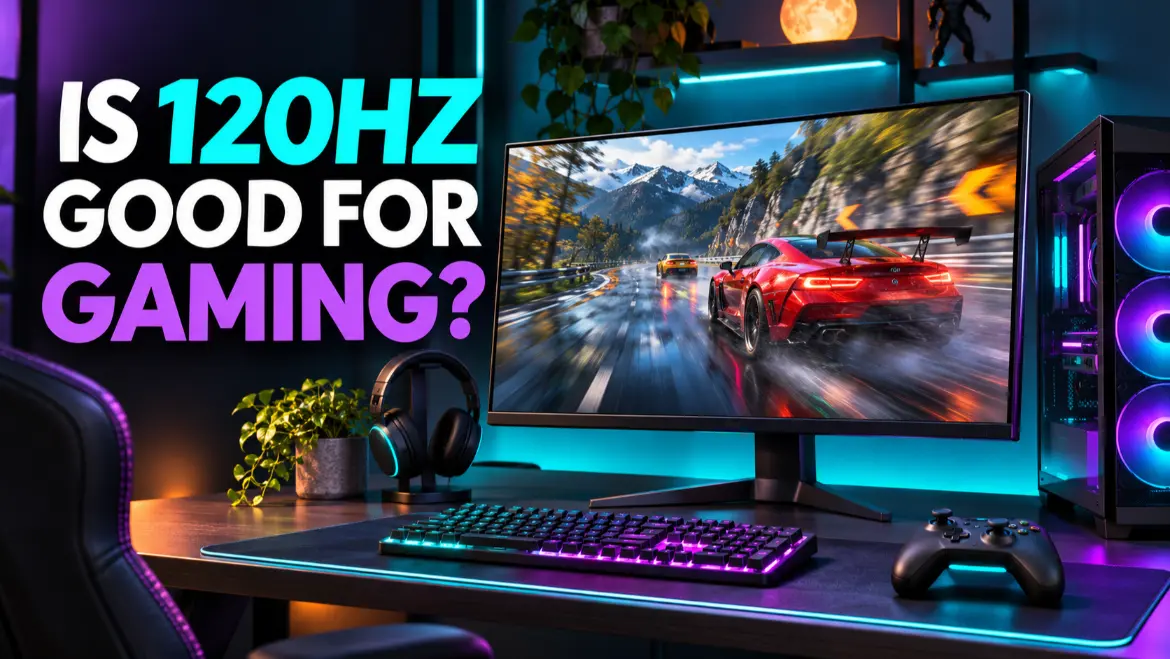
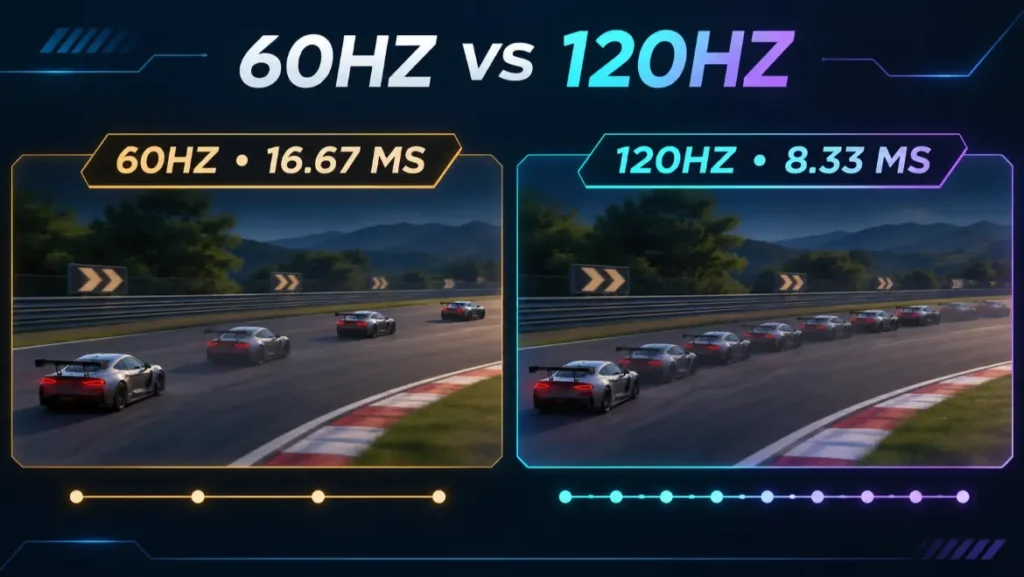
Yes, 120Hz is good for gaming and provides a major improvement over 60Hz. A 120Hz gaming monitor can update the picture up to 120 times per second, reducing the time between refreshes from about 16.7 milliseconds at 60Hz to about 8.3 milliseconds. Games can look smoother, controls can feel more immediate, and moving objects are easier to follow when the system produces enough frames.
Table of Contents
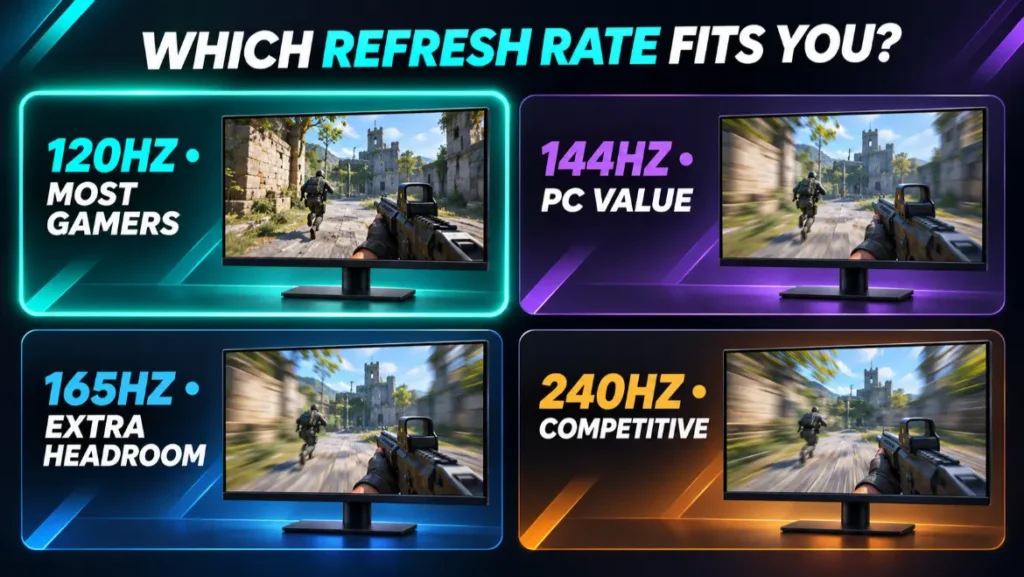
For PS5 and Xbox Series X|S, 120Hz is one of the most useful gaming-monitor targets because supported games can offer 120 FPS modes. For PC gaming, 120Hz remains good, although 144Hz and 165Hz monitors are common and may offer better value when they cost about the same.
If you are asking is 120Hz good for gaming, the answer is yes for most players, provided the monitor also has responsive pixel performance and the correct ports for your system.
Quick Verdict: Who Should Choose a 120Hz Gaming Monitor?
A 120Hz gaming monitor is a strong choice if you:
- Are upgrading from a 60Hz or 75Hz display.
- Play on PS5 or Xbox Series X|S and want supported 120 FPS modes.
- Prefer cinematic, racing, sports, action, fighting, or single-player games.
- Want smoother gameplay without targeting extremely high PC frame rates.
- Are shopping for a 4K display where 120Hz provides a useful balance of sharpness and motion.
- Use a gaming laptop or midrange PC that usually produces between 70 and 120 FPS.
Consider 144Hz, 165Hz, 240Hz, or faster if you:
- Mainly play competitive shooters on PC.
- Can consistently produce frame rates above 120 FPS.
- Find a 144Hz or 165Hz monitor with better response performance for a similar price.
- Want the lowest practical motion persistence and latency your budget can support.
- Plan to keep the monitor through a major graphics-card upgrade.
The practical answer is that 120Hz is fast enough for most gamers, but refresh rate should not be considered alone. Response time, input lag, variable refresh rate, resolution, panel quality, connection bandwidth, and price can matter just as much.
That is why the question is 120Hz good for gaming cannot be answered from refresh rate alone. The complete monitor determines the experience.
What Does 120Hz Mean on a Gaming Monitor?
Refresh rate measures how many times a display can refresh its image each second. A 120Hz monitor can perform up to 120 refresh cycles per second.
That does not guarantee that every game will run at 120 frames per second. The monitor’s refresh rate describes its display capability, while FPS describes how many frames the PC or console produces.
For the clearest 120Hz experience:
- The monitor must be configured to operate at 120Hz.
- The video connection must support the chosen resolution at 120Hz.
- The PC or console must output up to 120 FPS.
- The game must allow a suitable frame-rate or performance mode.
- Pixel response must be fast enough to keep up without excessive blur or ghosting.
A game running at 60 FPS on a 120Hz monitor can still display correctly, but it will not provide the same motion detail as a true 120 FPS output. Variable refresh rate can help when frame output changes below the monitor’s maximum.
From a technical perspective, is 120Hz good for gaming depends on whether your system can supply enough frames and whether the panel can display those frames cleanly.
60Hz vs 120Hz: How Much Better Is It?
The jump from 60Hz to 120Hz is substantial because the interval between display refreshes is cut in half.
| Refresh rate | Time between refreshes | Practical use |
|---|---|---|
| 60Hz | 16.67 ms | Basic gaming, strategy games, slower systems |
| 75Hz | 13.33 ms | Small improvement over 60Hz |
| 120Hz | 8.33 ms | Smooth PC and console gaming |
| 144Hz | 6.94 ms | Popular PC gaming target |
| 165Hz | 6.06 ms | Faster PC gaming with modest extra demand |
| 240Hz | 4.17 ms | Competitive gaming with high frame rates |
At 120Hz, camera movement can appear smoother, aiming can feel more responsive, and fast-moving objects are presented at shorter intervals. Mouse movement and desktop animation also feel more fluid.
The improvement is most noticeable when:
- You move directly from a 60Hz display.
- The game produces close to 120 FPS.
- Frame delivery is stable.
- The monitor has good response tuning.
- You play games with rapid movement or camera rotation.
If your PC produces only 40 to 60 FPS in demanding games, a 120Hz monitor will not create the missing frames. It can still provide VRR benefits and room for lighter games, but a graphics upgrade or lower settings may be required to approach 120 FPS.
For anyone moving from 60Hz and wondering is 120Hz good for gaming, the halved refresh interval makes the upgrade easy to justify when the rest of the monitor is suitable.
Is 120Hz Good for Gaming on PC?
Yes, 120Hz is good for PC gaming, especially for players upgrading from 60Hz or using hardware that cannot sustain the very high frame rates needed for a 240Hz display.
A 120Hz monitor works well for:
- Action and adventure games
- Racing and driving games
- Sports games
- Fighting games
- Role-playing games
- Simulation games
- Casual and moderately competitive shooters
PC buyers should still compare 120Hz with 144Hz and 165Hz models. Dedicated 120Hz PC monitors are less dominant than they once were because many current gaming displays advertise 144Hz, 165Hz, 180Hz, or higher.
If a well-reviewed 165Hz monitor costs nearly the same as a 120Hz option, the faster display may be the better purchase. If the 120Hz monitor has a better panel, stronger HDR, higher resolution, better connectivity, or a substantially lower price, 120Hz should not be treated as a weakness.
For PC buyers, is 120Hz good for gaming is therefore partly a value question: compare the complete 120Hz monitor with nearby 144Hz and 165Hz alternatives.
Do You Need 120 FPS to Use a 120Hz Monitor?
No. You can use a 120Hz monitor when a game runs below 120 FPS. The display remains functional, and variable refresh rate can match its timing to changing frame output within the supported VRR range.
Reaching 120 FPS lets the system provide a new frame for each 120Hz refresh cycle. Lower frame rates provide fewer unique frames, while frame rates above 120 FPS can reduce the age of the most recent frame even though the monitor cannot display more than 120 complete refreshes each second.
For many players, a variable frame rate between roughly 70 and 120 FPS on a VRR display feels smoother than a fixed 60Hz presentation.
Is 120Hz Good for PS5?
Yes, 120Hz is an excellent monitor refresh rate for PS5. Sony supports 120Hz video output for games that provide a compatible 120 FPS mode.
Sony’s PS5 resolution and 120Hz guide explains that 120Hz Output can be enabled for supported displays and games. It also confirms support for 4K 120Hz output through an appropriate HDMI 2.1 connection.
Before buying a monitor for PS5, verify:
- It accepts 120Hz through HDMI, not only through DisplayPort.
- It supports 1080p, 1440p, or 4K at 120Hz in a format the console recognizes.
- The correct HDMI input supports the intended mode.
- Variable refresh rate works with PS5 if you want VRR.
- The monitor preserves the correct aspect ratio.
- HDR performance is useful rather than merely accepted as an input signal.
Some high-refresh PC monitors reach their maximum rate only through DisplayPort. PS5 uses HDMI, so a monitor advertised as 144Hz, 165Hz, or faster does not automatically guarantee console 120Hz compatibility.
For PS5 owners asking is 120Hz good for gaming, it is an excellent target because the console’s supported high-frame-rate modes are designed around 120Hz output.
Does Every PS5 Game Run at 120 FPS?
No. The game must include a 120 FPS or high-frame-rate mode. Enabling 120Hz output on the console does not force every title to render at 120 FPS.
Games may lower resolution, visual effects, ray tracing quality, or image detail to reach higher frame rates. The player chooses between smoother motion and stronger visual settings when the game offers multiple modes.
Is 120Hz Good for Xbox Series X or Series S?3
Yes, 120Hz is one of the best practical monitor targets for Xbox Series X|S. The consoles support compatible 120 FPS game modes, and Xbox Series X lists a performance target of up to 120 FPS.
The official Xbox Series X specifications list HDMI variable refresh rate, AMD FreeSync, and up to 120 FPS among its video capabilities.
For Xbox, check:
- The monitor accepts 120Hz through HDMI at your intended resolution.
- The Xbox TV and display details screen recognizes the mode.
- FreeSync or HDMI VRR operates through the selected input if required.
- The game supports a 120 FPS mode.
- The cable supports the chosen resolution, refresh rate, HDR, and color format.
Xbox monitor compatibility can differ from PC compatibility. A model may reach 144Hz or 165Hz from a PC through DisplayPort but accept only a lower rate from a console over HDMI.
On Xbox, the answer to is 120Hz good for gaming is also yes, but the selected HDMI input and game must support the intended mode.
Is 120Hz Enough for Competitive Gaming?
120Hz is fast enough to play competitive games well, but it is not the highest-performance choice for serious esports players.
Compared with 60Hz, 120Hz provides much more frequent visual updates. That can improve tracking and make controls feel more immediate. A skilled player can compete effectively on a responsive 120Hz monitor.
However, players whose PCs consistently produce 200 to 500 FPS may benefit from 240Hz, 360Hz, or faster monitors. These displays shorten the interval between refreshes and can show more stages of fast motion.
Choose 120Hz for competitive gaming when:
- You play casually or moderately competitively.
- Your system normally produces 80 to 140 FPS.
- You value resolution and image quality alongside speed.
- You play competitive games on a console.
- A faster monitor would require sacrificing important features or exceeding your budget.
Choose 240Hz or faster when:
- Competitive FPS gaming is your main use.
- Your PC sustains very high frame rates.
- The monitor has excellent measured response performance.
- You are willing to pay for smaller improvements beyond 120Hz.
Refresh rate does not replace skill, stable network performance, low system latency, good frame pacing, or a responsive mouse and keyboard.
For competitive players, is 120Hz good for gaming depends on ambition and hardware. It is responsive enough for most people, while dedicated esports users may benefit from 240Hz or faster.
120Hz vs 144Hz: Can You See the Difference?
The difference between 120Hz and 144Hz is much smaller than the difference between 60Hz and 120Hz.
- 120Hz refreshes every 8.33 ms.
- 144Hz refreshes every 6.94 ms.
- The theoretical interval difference is approximately 1.39 ms.
Some players can notice the added smoothness, particularly during fast mouse movement. Others may struggle to distinguish them without a direct comparison.
If two monitors are otherwise equal and cost the same, choosing 144Hz provides extra headroom. But an excellent 120Hz monitor can be better than a poorly tuned 144Hz model with slow pixel response, excessive overshoot, weak contrast, or limited connectivity.
For consoles, the distinction matters less because supported high-frame-rate modes normally target 120 FPS rather than 144 FPS.
When comparing 120Hz with 144Hz, is 120Hz good for gaming remains the more useful question than whether 24 additional refreshes automatically make a monitor better.
120Hz vs 165Hz: Which Is Better?
165Hz is faster and gives a gaming PC additional headroom.
- 120Hz refresh interval: 8.33 ms
- 165Hz refresh interval: 6.06 ms
- Difference: approximately 2.27 ms
The improvement can be visible in fast games, but it is not as transformative as moving from 60Hz to 120Hz.
Choose 165Hz if:
- Your PC regularly exceeds 120 FPS.
- It costs only slightly more.
- Independent testing shows good response tuning across the refresh range.
- You want a broadly available QHD PC gaming monitor.
Choose 120Hz if:
- It comes with a 4K, OLED, ultrawide, or console-friendly feature set you prefer.
- Your system rarely exceeds 120 FPS.
- You are saving meaningful money.
- The display performs better in contrast, HDR, color, motion, or connectivity.
120Hz vs 240Hz: Is 240Hz Worth It?
240Hz can provide smoother motion and a shorter refresh interval, but it requires stronger hardware and offers diminishing returns compared with the first jump from 60Hz.
At 240Hz, a refresh occurs every 4.17 ms, half the interval of 120Hz. To take full advantage, the PC should produce very high frame rates with stable frame delivery.
For competitive Counter-Strike, Valorant, Overwatch, Fortnite, or similar PC games, a good 240Hz monitor can be worthwhile. For story-driven games, 4K gaming, console use, or a midrange graphics card, 120Hz often provides a better balance.
Do not buy 240Hz solely for the number. A 120Hz OLED with extremely fast pixel transitions may look clearer in some motion situations than a slower LCD advertising a higher refresh rate. Compare measured response behavior rather than refresh rate alone.
Is 4K 120Hz Good for Gaming?
4K at 120Hz is an excellent premium gaming target because it combines high image detail with smooth motion. It is also demanding.
For PC gaming, achieving 120 FPS at 3840 × 2160 can require a powerful graphics card, reduced quality settings, upscaling, frame generation, or a combination of these techniques.
For PS5 and Xbox Series X, specific games may provide 120 FPS modes at internally reduced or dynamically adjusted resolutions. A 4K 120Hz output signal does not prove that every frame was natively rendered at 4K.
The connection must support the required bandwidth. Sony recommends the supplied PS5 cable or a suitable Ultra High Speed HDMI cable for 4K 120Hz. HDMI’s current gaming feature guidance also explains the roles of 4K 120Hz, VRR, and low-latency features.
At 4K, is 120Hz good for gaming has an easy answer: yes, although the required graphics performance and connection bandwidth are substantial.
On PC, an appropriate DisplayPort connection may also support 4K at high refresh rates, sometimes using Display Stream Compression. Always confirm the exact GPU output, monitor input, cable, color depth, and compression requirements.
What Hardware Do You Need for 120Hz Gaming?
A Monitor That Accepts the Required Mode
The display must support the chosen resolution at 120Hz through the input you plan to use. Do not rely only on the maximum refresh rate printed on the box.
A Compatible Graphics Output
The graphics card, laptop, or console output must carry the required resolution, refresh rate, HDR, color depth, and VRR format.
A Suitable Cable
Use a certified cable that supports the required link rate. Cable marketing can be confusing, so check official cable names and the monitor manual.
Enough Rendering Performance
The gaming system needs to produce frame rates that benefit from 120Hz. Lowering demanding graphics settings can raise FPS, while increasing resolution or ray tracing usually increases GPU load.
Game Support
Some console games require a specific performance mode. PC games may have frame-rate caps, V-Sync settings, engine limitations, or menus running at different rates.
Why Response Time Matters on a 120Hz Monitor
A 120Hz refresh cycle lasts about 8.33 ms, but that does not mean every pixel completes every transition within that time.
Slow pixel transitions can create:
- Motion blur
- Dark smearing
- Ghost trails
- Loss of detail during movement
Overly aggressive overdrive can create bright or colored inverse-ghosting trails. An advertised “1 ms” specification rarely describes every transition or setting.
Look for independent testing across different refresh rates. A monitor should behave well not only at 120Hz but also at lower rates used with VRR.
Input Lag and Refresh Rate Are Different
Input lag is the delay between a signal reaching the display and the corresponding image appearing. Refresh rate contributes to how quickly new information can be shown, but processing also affects latency.
Most modern gaming monitors have low input lag in their gaming modes. Televisions may require Game Mode or Auto Low Latency Mode to reduce additional processing.
A 120Hz monitor with low input lag can feel highly responsive. A display should not be judged solely by its advertised refresh rate if it adds unnecessary processing delay.
Why Variable Refresh Rate Improves 120Hz Gaming
Variable refresh rate allows the display to adjust its refresh timing to changing frame output. This can reduce tearing and judder when a game does not remain locked at 120 FPS.
VRR is particularly useful because real games often fluctuate. A title may move between 75 and 110 FPS depending on the scene. A compatible display can follow those changes within its supported range.
Windows shows supported refresh-rate information under Settings > System > Display > Advanced display. Microsoft’s refresh-rate guide explains that available rates depend on the display and connection.
Check the monitor’s VRR range and format. Terms such as AMD FreeSync, NVIDIA G-SYNC Compatible, DisplayPort Adaptive-Sync, and HDMI VRR describe related technologies, but compatibility differs by model and device.
What Resolution Is Best at 120Hz?
1080p at 120Hz
This is the easiest combination for modest PC hardware to drive. It also works well for console performance modes and compact 24-inch or 25-inch monitors.
1440p at 120Hz
This provides a strong balance of sharpness and performance for 27-inch and 32-inch monitors. It requires more GPU power than 1080p but is less demanding than 4K.
3440 × 1440 at 120Hz
A 120Hz ultrawide can feel smooth and immersive in racing, simulation, RPG, and cinematic games. The extra horizontal pixels increase GPU demand, and console support for ultrawide formats is limited.
4K at 120Hz
This delivers excellent detail and motion but requires the most bandwidth and rendering performance. Check HDMI or DisplayPort capability carefully.
The best combination is the one your system can drive consistently at the image quality you prefer.
Your preferred resolution changes the buying decision, but is 120Hz good for gaming remains yes at 1080p, 1440p, ultrawide, or 4K when the hardware can support the chosen mode.
How to Enable 120Hz in Windows
Connecting a 120Hz monitor does not guarantee that Windows will select 120Hz automatically.
- Right-click the desktop and open Display settings.
- Select the correct gaming monitor.
- Confirm its native resolution.
- Open Advanced display.
- Use Choose a refresh rate and select 120Hz.
- Check the active signal mode and monitor information menu.
- Enable adaptive sync in the monitor menu and graphics software when supported.
If 120Hz is missing:
- Try the recommended DisplayPort or HDMI input.
- Use a suitable certified cable.
- Connect directly instead of through a dock or adapter.
- Update the graphics driver.
- Check the monitor’s on-screen settings.
- Reduce an incompatible color-depth or resolution setting only after reviewing the manual.
- Verify that the connected port supports the required mode.
For detailed physical setup steps, connect the monitor to the dedicated graphics-card output rather than the motherboard when the desktop has a separate GPU.
How to Choose a Good 120Hz Gaming Monitor
1. Check Actual Refresh-Rate Support
Confirm the monitor supports 120Hz at the resolution and through the input you will use. This is especially important for PS5 and Xbox.
2. Review Measured Response Performance
Look beyond “1 ms” marketing. Check motion clarity, overshoot, dark smearing, and performance across the VRR range.
3. Confirm Variable Refresh Rate
Verify the supported VRR format and range for your graphics card or console.
4. Match Resolution to Screen Size
1080p suits many 24-inch displays, 1440p is a strong match for 27 inches, and 4K becomes more useful on larger screens or when high pixel density matters.
5. Inspect HDMI and DisplayPort Capabilities
Ports that look identical can support different bandwidth or features. Confirm whether the intended input unlocks 120Hz, VRR, HDR, and the correct color format.
6. Evaluate Panel Quality
Contrast, viewing angles, black levels, brightness, color, HDR, text clarity, and uniformity vary across OLED, IPS, VA, and other panel types.
7. Check Ergonomics
Height adjustment, tilt, swivel, VESA mounting, screen size, stand depth, and desk space affect daily comfort.
8. Compare the Full Price
A 120Hz display can be a good value, but do not overpay if a stronger 144Hz or 165Hz monitor costs the same. Compare warranty, return terms, cables, stand, ports, and performance.
For examples of brands competing across these specifications, read the TopRated5 gaming monitor comparison. You can also browse the Gaming Accessories category for related setup and buying guides.
Before purchasing, answer is 120Hz good for gaming in the context of the exact monitor rather than treating the refresh-rate label as the complete recommendation.
Common Mistakes When Buying a 120Hz Monitor
Assuming 120Hz Means Every Game Runs at 120 FPS
The PC or console and the game determine frame output. The monitor cannot create native rendered frames by itself.
Ignoring HDMI Limitations
A monitor may support its highest rate only through DisplayPort. Confirm console-friendly HDMI modes before buying.
Choosing Refresh Rate Over Motion Quality
A higher number does not guarantee clearer motion. Slow response or excessive overshoot can reduce the benefit.
Forgetting to Enable 120Hz
Windows and consoles may default to 60Hz. Verify the active output after setup.
Expecting 4K 120 FPS From Every System
4K at 120 FPS is demanding. Games may use dynamic resolution, upscaling, reduced settings, or lower internal rendering resolution.
Buying 120Hz When 165Hz Costs the Same
If performance and image quality are comparable, the faster monitor provides extra headroom. The 120Hz option should offer another meaningful advantage.
Believing Refresh Rate Fixes All Stutter
Uneven frame pacing, shader compilation, CPU limits, network problems, storage delays, and game-engine issues can cause stutter regardless of monitor refresh rate.
Frequently Asked Questions
Is 120Hz Good for Gaming or Should I Buy 144Hz?
120Hz is good for gaming and the difference from 144Hz is relatively small. Choose 144Hz when an equally good model costs about the same. Choose 120Hz when it offers better resolution, panel quality, console compatibility, HDR, or value.
Is 120Hz Enough for Fortnite?
Yes. Fortnite feels much smoother at up to 120 FPS than at 60 FPS. Competitive PC players with strong hardware may prefer 165Hz, 240Hz, or faster, while 120Hz is a useful target for console performance modes.
Is 120Hz Good for Call of Duty?
Yes. A responsive 120Hz monitor can improve motion smoothness and aiming compared with 60Hz. The game, platform, settings, and hardware must support the higher frame-rate mode.
Is 120Hz Good for Racing Games?
Yes. Racing games benefit from smoother track movement, steering feedback, and passing scenery. A large or ultrawide 120Hz monitor can provide a strong balance of motion and immersion.
Is 120Hz Better Than 4K 60Hz?
It depends on your priorities. 120Hz provides smoother motion and lower refresh intervals, while 4K 60Hz may provide more detail. A 4K 120Hz display combines both advantages but costs more and requires stronger hardware and bandwidth.
Can HDMI Support 120Hz?
Yes. HDMI can support 120Hz when the source, monitor input, cable, resolution, and color settings provide enough bandwidth. Check the exact devices rather than relying only on the connector shape.
Is 120Hz Noticeable From 60Hz?
For many people, yes. Motion and pointer movement generally appear smoother because the refresh interval is halved. The difference is easiest to see when content runs near 120 FPS.
Is 120Hz Noticeable From 144Hz?
The difference is smaller. Some players notice it during fast motion, but image quality, response tuning, VRR, and price may matter more.
Does 120Hz Reduce Input Lag?
A higher refresh rate allows new frames to be presented more frequently, but total input lag also depends on the game, system, controller or mouse, rendering queue, connection, and display processing.
Is a 120Hz Monitor Future-Proof?
It can remain useful for years, especially for console gaming and high-resolution PC gaming. Competitive PC players may prefer more headroom from 165Hz or 240Hz, but 120Hz will not suddenly become unusable.
Final Verdict: Is 120Hz Good for a Gaming Monitor?
120Hz is very good for a gaming monitor. It provides a large improvement over 60Hz, works especially well for PS5 and Xbox Series X|S performance modes, and offers smooth PC gaming without demanding the extreme frame rates needed for 240Hz or faster displays.
The best reason to skip 120Hz is not that it is slow. It is that many 144Hz and 165Hz PC monitors are widely available and may cost about the same. If two monitors are otherwise equal, the faster option gives you more headroom.
Choose 120Hz confidently when the display has the resolution, panel quality, response performance, VRR support, ports, HDR capability, ergonomics, and price you want. A well-tuned 120Hz monitor is better than a faster monitor with poor motion handling or the wrong connectivity.
Before purchasing, confirm that your PC or console can output the intended resolution at 120Hz through the monitor’s actual HDMI, DisplayPort, or USB-C input. After setup, verify the active refresh rate instead of assuming it was enabled automatically.