

Now Reading: Best Gaming Monitor for Xbox Series X: 5 Picks for Every Setup
-
01
Best Gaming Monitor for Xbox Series X: 5 Picks for Every Setup

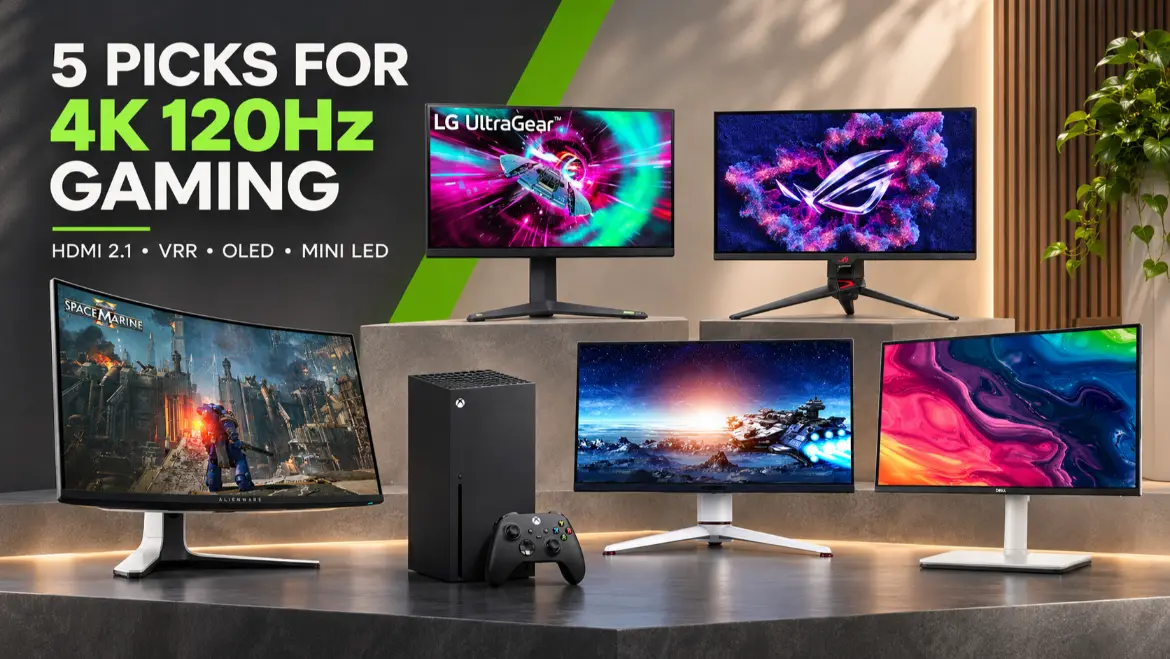
The best gaming monitor for Xbox Series X should accept a 4K signal at 120Hz over HDMI, support variable refresh rate, and fit the way you actually play. For most buyers, the LG UltraGear 32GR93U-B is the strongest all-around match because its 32-inch 4K IPS panel, HDMI 2.1 connectivity, and 144Hz ceiling cover the console’s most useful display features without charging for OLED performance you may not need.
That is not the only sensible choice. A smaller desk may favor a 27-inch screen, a dark gaming room can make OLED more rewarding, and a bright room may benefit from Mini LED. This guide narrows the market to five monitors with clearly different strengths so you can choose the right one instead of simply buying the most expensive specification sheet.
Quick Answer
The LG UltraGear 32GR93U-B is our best gaming monitor for Xbox Series X for the widest range of players. It combines a roomy 32-inch 4K screen, 144Hz refresh rate, HDMI 2.1, and variable refresh support in a straightforward IPS design.
Choose the ASUS ROG Swift OLED PG27UCDM if you want premium OLED contrast in a compact 27-inch format. Pick the Alienware AW3225QF for a larger curved QD-OLED experience with Dolby Vision. The BenQ MOBIUZ EX321UX is the strongest fit for bright HDR and buyers who prefer Mini LED over OLED. The Dell S2725QS is the value choice because it provides 4K at 120Hz, VRR, dual HDMI 2.1 inputs, and speakers without the premium gaming-monitor price tier.
Table of Contents
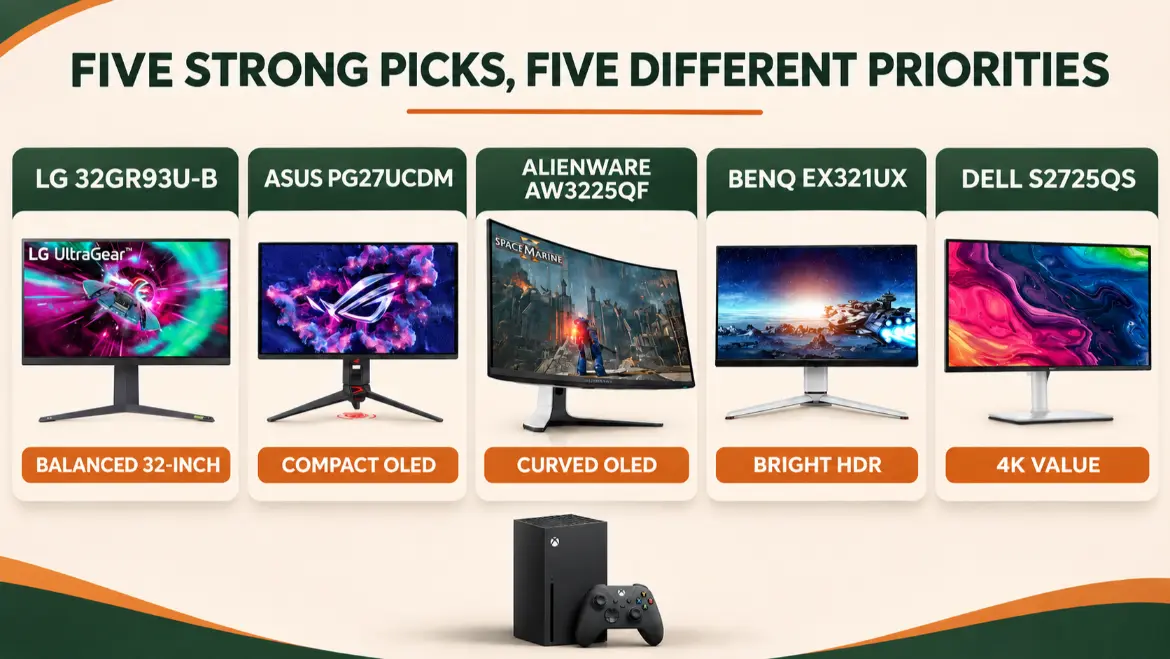
Quick Comparison of the Five Best Xbox Series X Monitors
| Monitor | Best for | Size and panel | Resolution and maximum refresh | Xbox-focused strengths | Main compromise |
|---|---|---|---|---|---|
| LG UltraGear 32GR93U-B | Best overall balance | 32-inch IPS | 4K, 144Hz | HDMI 2.1, FreeSync Premium, large 4K workspace | HDR400 cannot match OLED or Mini LED contrast |
| ASUS ROG Swift OLED PG27UCDM | Best compact premium option | 26.5-inch QD-OLED | 4K, 240Hz | 4K/120Hz, HDMI 2.1 VRR, Dolby Vision, very fast pixel response | Expensive, and Xbox cannot use its full 240Hz ceiling |
| Alienware AW3225QF | Best curved OLED | 31.6-inch curved QD-OLED | 4K, 240Hz | HDMI 2.1, VRR, Dolby Vision, eARC | Premium cost and normal OLED care considerations |
| BenQ MOBIUZ EX321UX | Best bright HDR experience | 32-inch IPS Mini LED | 4K, 144Hz | 1,152-zone Mini LED, HDMI 2.1, eARC, strong HDR capability | Local-dimming halos can appear around bright objects |
| Dell S2725QS | Best value 4K/120Hz option | 27-inch IPS | 4K, 120Hz | Dual HDMI 2.1, VRR, FreeSync Premium, built-in speakers | HDR is basic and it lacks premium local dimming |
Prices and stock change frequently, so compare current offers rather than treating one temporary sale as proof that a monitor is always the better value.
How We Selected These Xbox Series X Monitors
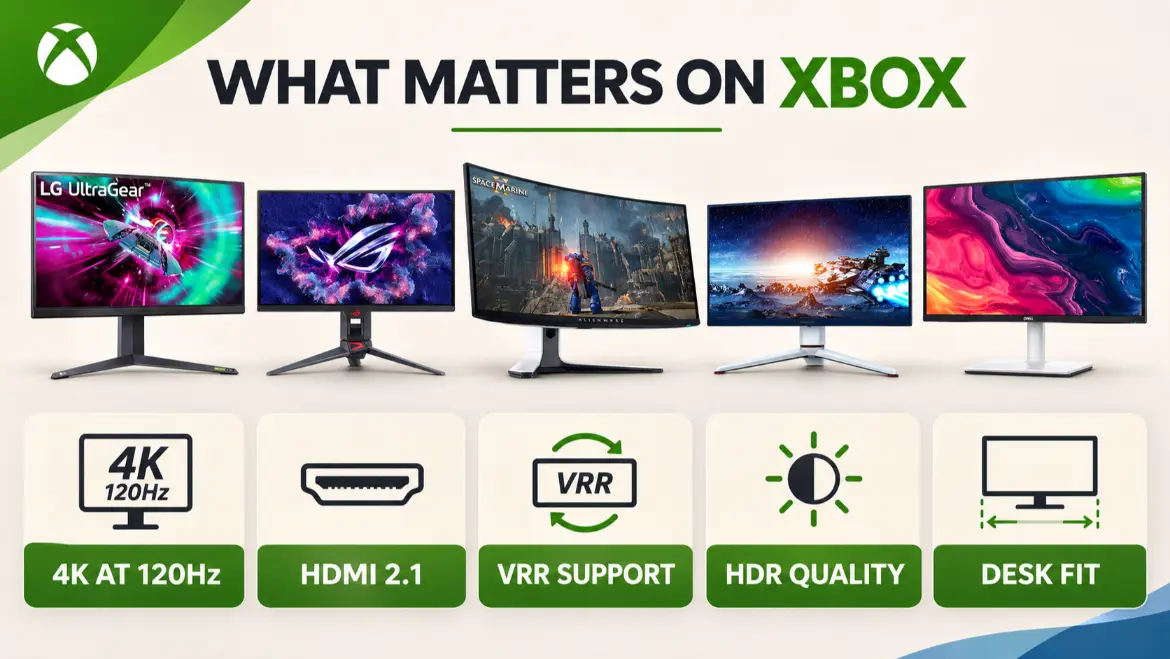
We began with the console rather than with each monitor’s biggest advertised number. Microsoft lists the Xbox Series X with true 4K gaming, performance up to 120 frames per second, Auto Low Latency Mode, HDMI VRR, and AMD FreeSync support. The official Xbox Series X specifications therefore provide a more useful shopping baseline than a monitor’s DisplayPort-only maximum refresh rate.
For a monitor to qualify as a top 4K choice, we looked for confirmed 3840 x 2160 input at 120Hz over HDMI, not just a 144Hz or 240Hz number that might apply only to a gaming PC. We then considered VRR compatibility, panel behavior, HDR hardware, size, audio routing, stand adjustment, warranty information, and whether the model currently has an official US product page.
We did not claim hands-on testing. Product specifications come from Microsoft and the manufacturers, while independent monitor testing informed practical limitations such as Xbox signal compatibility, OLED behavior, motion clarity, and local-dimming tradeoffs. Current ranking pages also reveal what searchers expect: a short answer, comparison table, named use cases, clear disadvantages, buying guidance, setup help, and FAQs. We used those intent signals to create an original structure, not to copy another site’s headings or ranking order.
The resulting shortlist covers five buyer types. That matters because the best gaming monitor for Xbox Series X is not automatically the model with the highest PC refresh rate. Xbox output stops at 120Hz, so money spent beyond that point should buy something else you value, such as OLED contrast, brighter HDR, a larger screen, useful audio connections, or better value.
1. LG UltraGear 32GR93U-B: Best Gaming Monitor for Xbox Series X Overall
The LG UltraGear 32GR93U-B is the best gaming monitor for Xbox Series X if you want a balanced 32-inch desk display without moving into premium OLED or Mini LED pricing. Its 3840 x 2160 IPS panel runs at up to 144Hz, while HDMI 2.1 lets the monitor accept the console’s 4K/120Hz output.
LG also lists AMD FreeSync Premium and NVIDIA G-SYNC compatibility. The Xbox benefit is FreeSync and HDMI VRR support, which can reduce tearing when a game’s frame rate moves within the supported range. Microsoft notes that VRR helps a compatible display present frames with lower latency when performance fluctuates.
Why It Could Be Your Best Gaming Monitor for Xbox Series X
At a normal desk distance, 32 inches makes 4K detail easier to appreciate than on a smaller panel. Racing games, open-world adventures, sports titles, and cinematic campaigns gain scale without requiring the viewing distance of a large television. The IPS panel also makes this LG practical for a mixed gaming and work setup.
The official LG 32GR93U-B product page confirms a 32-inch UHD IPS display, 144Hz refresh rate, 1ms manufacturer-rated gray-to-gray response, DisplayHDR 400, FreeSync Premium, and HDMI 2.1.
Before Choosing It as Your Best Gaming Monitor for Xbox Series X
DisplayHDR 400 support does not make this a high-end HDR monitor. It does not have OLED’s per-pixel black control or the dense local-dimming system found in the BenQ. Dark-room blacks can therefore look grayer, and bright highlights will not have the same contrast impact.
There are no built-in speakers. If you normally route sound through the monitor, plan to use a headset, external speakers through the headphone output, or another audio solution. Choose this LG when balanced performance matters more than the deepest blacks or brightest HDR.
2. ASUS PG27UCDM: Best Gaming Monitor for Xbox Series X on a Compact Desk
The ASUS ROG Swift OLED PG27UCDM is the best gaming monitor for Xbox Series X for a buyer who wants premium picture quality but prefers a 27-inch desk display. It uses a 26.5-inch 4K QD-OLED panel with a 240Hz PC ceiling, full-bandwidth HDMI 2.1 ports, VRR, and Dolby Vision.
ASUS explicitly lists HDMI 2.1 VRR at 4K/120Hz for Xbox Series X, so console compatibility is not inferred from the monitor’s headline refresh rate. The official ASUS PG27UCDM page also confirms Dolby Vision, HDR10, OLED Care Pro functions, a proximity sensor, and a three-year warranty.
Why It Could Be Your Best Gaming Monitor for Xbox Series X
OLED pixels can turn off individually. That creates true blacks beside bright objects and avoids the blooming halos that local-dimming LCD monitors can show. Pixel transitions are also exceptionally fast, which is useful in shooters, racing games, and any 120fps performance mode.
The compact 4K panel produces very high pixel density. Text and fine game detail look sharp at a close desk distance, while the smaller screen is easier to fit than a 32-inch model. Dolby Vision is an additional Xbox-specific benefit for compatible games and media.
Before Choosing It as Your Best Gaming Monitor for Xbox Series X
The Xbox cannot use the panel’s full 240Hz refresh rate. You are paying for that extra capability mainly if a gaming PC will share the monitor. QD-OLED also deserves sensible care when displaying static HUD elements or desktop content for very long periods. ASUS includes protective features, but no OLED panel should be presented as immune to uneven wear.
This is the best gaming monitor for Xbox Series X when compact size, black level, motion clarity, and premium image quality outweigh price.
3. Alienware AW3225QF: Best Gaming Monitor for Xbox Series X With a Curve
The Alienware AW3225QF is the best gaming monitor for Xbox Series X if you want a larger curved QD-OLED screen and Dolby Vision. Its 31.6-inch 4K panel has a gentle 1700R curve, a 240Hz PC refresh ceiling, two HDMI 2.1 inputs, VRR support, and an HDMI connection with eARC.
The official Alienware AW3225QF listing confirms 3840 x 2160 at 240Hz, QD-OLED panel technology, HDMI 2.1 FRL, HDR, VRR, and eARC for Dolby Atmos signal pass-through.
Why It Could Be Your Best Gaming Monitor for Xbox Series X
The 32-inch size gives cinematic games more presence, while QD-OLED supplies the deep black level and fast pixel response expected from a self-emissive panel. The curve is subtle enough for a central desk position and can make the edges feel closer without using an ultrawide aspect ratio that Xbox does not natively support.
Dolby Vision makes the Alienware especially relevant to Xbox buyers. The eARC connection is also useful if you want to send compatible audio to a soundbar or receiver rather than rely solely on a headset.
Before Choosing It as Your Best Gaming Monitor for Xbox Series X
This monitor is expensive relative to the console, and Xbox again cannot use the entire 240Hz ceiling. It also lacks conventional built-in speakers. Check your intended audio path before purchasing.
OLED’s excellent dark-room performance comes with normal static-content care. Bright rooms can also reduce the perceived depth of a glossy QD-OLED panel. If you play in strong daylight and want more highlight brightness, the BenQ Mini LED option may be the more practical best gaming monitor for Xbox Series X.
4. BenQ EX321UX: Best Gaming Monitor for Xbox Series X in a Bright Room
The BenQ MOBIUZ EX321UX is the best gaming monitor for Xbox Series X for players who want bright, impactful HDR without choosing OLED. Its 32-inch 4K IPS panel combines a 144Hz refresh rate with a 1,152-zone Mini LED backlight, HDMI 2.1 connectivity, VRR support, and eARC.
BenQ lists DisplayHDR 1000 capability, multiple HDMI 2.1 connections, DisplayPort, USB-C, and Xbox VRR support. See the official BenQ EX321UX specifications for the current port and compatibility details.
Why It Could Be Your Best Gaming Monitor for Xbox Series X
Mini LED uses many independently controlled backlight zones rather than one uniform edge light. That lets the display brighten highlights while dimming darker areas, producing more HDR impact than a basic HDR400 IPS monitor. It is a strong match for games with bright skies, sparks, headlights, and other high-contrast effects.
The EX321UX is also attractive for a multi-device desk. Its connectivity and eARC support provide more routing flexibility than a simple two-port gaming monitor, especially if you connect an Xbox, PC, and audio system.
Before Choosing It as Your Best Gaming Monitor for Xbox Series X
Mini LED is not identical to OLED. A bright object on a dark background can illuminate more than one zone and create a visible halo. The monitor is also a premium purchase, and its 144Hz ceiling provides only a small amount of headroom beyond the Xbox’s 120Hz maximum.
Choose the BenQ when high brightness, HDR punch, and reduced concern about static OLED wear matter more than perfect per-pixel blacks.
5. Dell S2725QS: Best Gaming Monitor for Xbox Series X on a Budget
The Dell S2725QS is the best gaming monitor for Xbox Series X for value-focused buyers who still want the console’s full 4K/120Hz output. It is not marketed as an aggressive esports display, but its 27-inch 4K IPS panel, 120Hz refresh rate, HDMI 2.1 FRL, VRR, FreeSync Premium, adjustable stand, and built-in speakers cover the essentials unusually well.
The official Dell S2725QS page confirms two HDMI 2.1 ports capable of 3840 x 2160 at 120Hz with HDR and VRR, plus two 5-watt speakers.
Why It Could Be Your Best Gaming Monitor for Xbox Series X
Many inexpensive 4K monitors stop at 60Hz, while many affordable high-refresh monitors use 1440p. The Dell avoids that forced compromise. Its 120Hz ceiling matches the maximum Xbox output, so you are not paying for refresh headroom that only a PC can use.
At 27 inches, 4K looks exceptionally sharp. The smaller footprint also fits shallow desks better than the 32-inch models. Built-in speakers are useful for casual play, even if a headset or dedicated speakers will provide stronger sound.
Before Choosing It as Your Best Gaming Monitor for Xbox Series X
The S2725QS is HDR-ready, but it lacks OLED pixels or a premium local-dimming backlight. Buy it for clarity, smooth 120Hz output, practical connectivity, and value rather than dramatic HDR.
Its manufacturer-rated response time is also slower than the OLED models. That does not make it unsuitable for gaming, but highly competitive players should review measured motion performance before choosing any monitor based only on an advertised millisecond figure.
Why HDMI 2.1 and VRR Matter for Xbox Series X
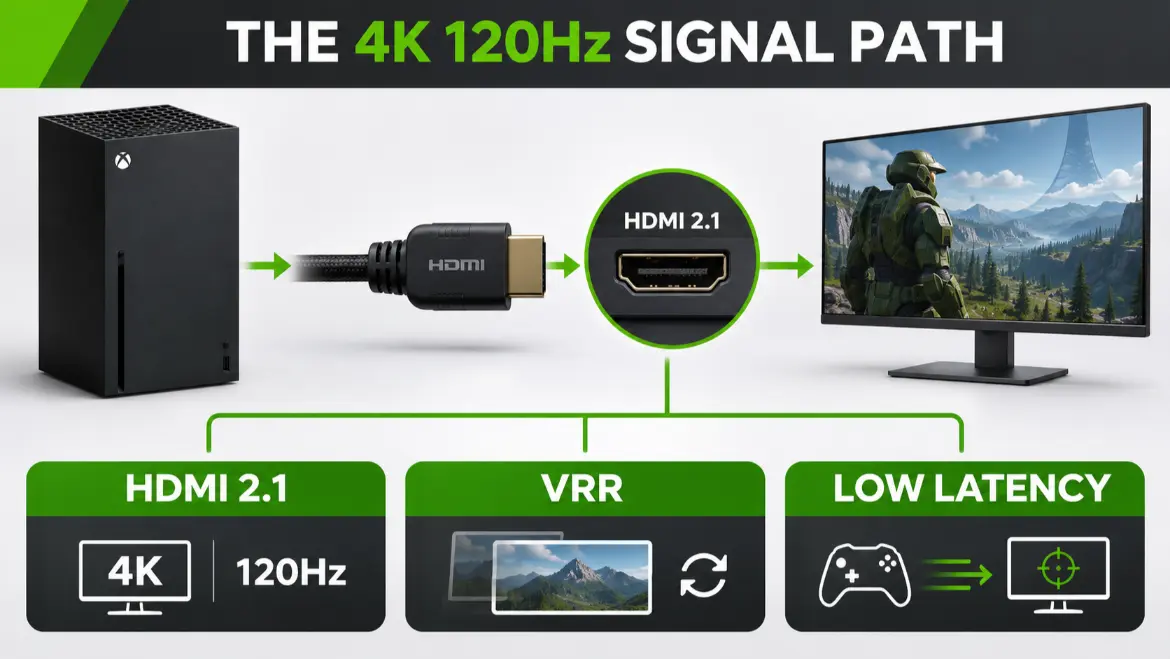
HDMI 2.1 is the cleanest route to 4K at 120Hz from Xbox Series X. Microsoft explains that the included Ultra High Speed HDMI cable and a compatible HDMI 2.1 display enable the console’s advanced 4K/120Hz features.
Do not assume every monitor advertised at 144Hz or 240Hz can receive the same mode from a console. Some displays reach their maximum only over DisplayPort, which Xbox does not use. Others may accept 120Hz only at 1080p or 1440p. The best gaming monitor for Xbox Series X should list the exact supported HDMI input mode.
VRR solves a different problem. It lets the display adapt its refresh timing when a game’s frame rate changes, reducing visible tearing and uneven motion. Xbox supports HDMI VRR and AMD FreeSync, but support still needs to be confirmed for the monitor’s HDMI input and intended resolution.
Is 4K Better Than 1440p for Xbox Series X?
For image detail, 4K is the better target. It also provides the most direct route to Xbox HDR support. A 1440p monitor can still be a smart budget choice for competitive games, particularly when it accepts 1440p at 120Hz over HDMI and supports FreeSync.
The compromise is that 1440p shows less fine detail, and HDR behavior can be more complicated. Independent console-compatibility testing notes that some 1440p displays accept a downscaled 4K signal for HDR, while others require choosing between 4K/60Hz HDR and native 1440p/120Hz performance.
For this shortlist, we prioritized 4K models because the query asks for the best gaming monitor for Xbox Series X rather than the cheapest workable monitor. If your budget pushes you toward QHD, confirm the exact 1440p/120Hz and VRR modes before buying.
Should You Choose a 27-Inch or 32-Inch Monitor?
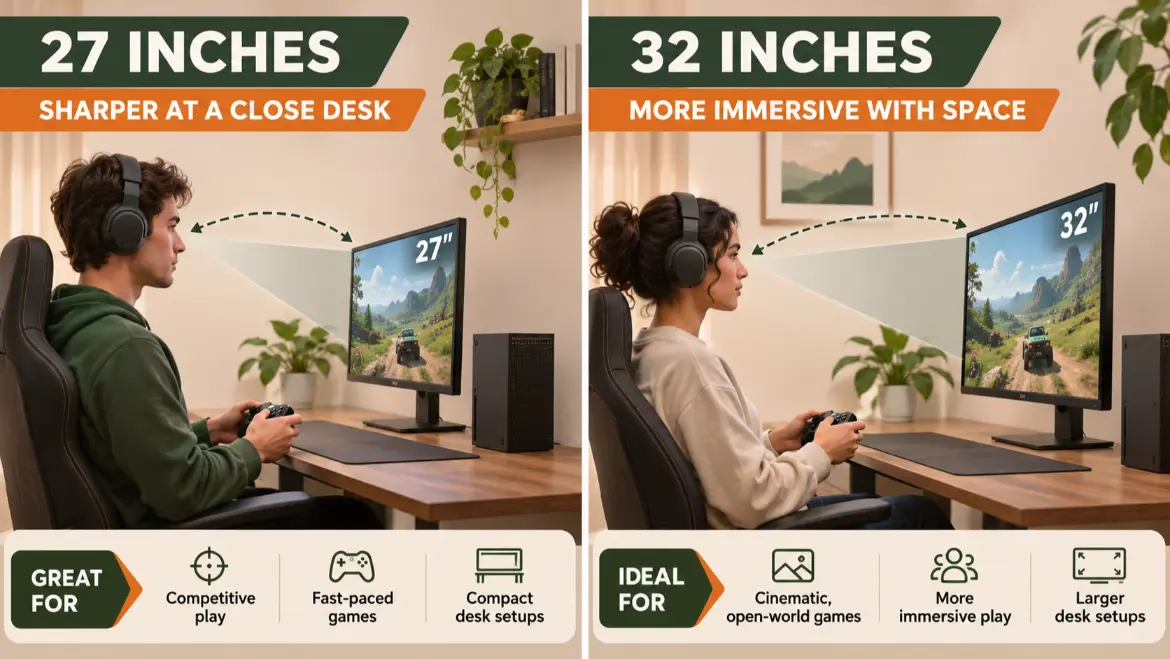
A 27-inch 4K monitor suits a close desk position, creates very high pixel density, and leaves more room for speakers or a second display. It is the safer choice for a small bedroom, dorm desk, or mixed productivity setup.
A 32-inch 4K monitor makes games feel larger and lets you appreciate UHD detail without sitting extremely close. It suits racing games, sports, RPGs, and cinematic single-player titles particularly well. The tradeoff is desk depth: a large panel can feel overwhelming when placed too close.
If you are uncertain, read our guide to whether a 24-inch monitor is good for gaming and the curved versus flat gaming-monitor comparison. Both explain how viewing distance and game type matter more than choosing the largest screen available.
The best gaming monitor for Xbox Series X should fit your physical setup before it wins on specifications. Measure desk width and depth, check the stand footprint, and confirm whether the included stand adjusts high enough for a comfortable viewing position.
OLED, Mini LED, or IPS: Which Panel Is Best?
OLED
Choose OLED for the deepest blacks, fastest pixel transitions, and strongest dark-room contrast. It is ideal for horror games, space scenes, cinematic adventures, and players who value motion clarity. The tradeoffs are price, brightness behavior, and the need to use built-in panel-care features responsibly.
Mini LED IPS
Choose Mini LED for strong peak brightness and more impactful HDR in rooms with ambient light. It reduces the static-image concerns associated with OLED, although local-dimming halos can appear around small bright objects.
Conventional IPS
Choose standard IPS for balanced color, wide viewing angles, and lower cost. Models such as the LG and Dell are excellent practical choices, but an HDR label alone does not give them OLED black levels or premium Mini LED contrast.
Panel type helps narrow the search, but it cannot identify the best gaming monitor for Xbox Series X by itself. HDMI input modes, VRR behavior, motion performance, warranty coverage, and your room lighting still matter.
Do You Need a 144Hz or 240Hz Monitor for Xbox Series X?
No. Xbox Series X outputs up to 120Hz. A 144Hz monitor provides harmless headroom and is common among 4K gaming models, but the console will not use the extra 24Hz. A 240Hz display makes sense mainly when the same screen will also connect to a capable gaming PC.
Our gaming refresh-rate guide explains the practical differences among 120Hz, 165Hz, and 240Hz. You can also read whether 120Hz is good for gaming for a closer look at why 120Hz is already an excellent console target.
Do not pay more for 240Hz unless the monitor also gives you a benefit the Xbox can use, such as OLED contrast, stronger HDR, Dolby Vision, better connectivity, or a preferred size.
Audio Can Be the Hidden Compatibility Problem
Xbox Series X does not provide a simple analog audio output on the console. If your monitor lacks speakers and a headphone jack, sound may need to come through a controller-connected headset, USB-compatible audio device, eARC system, or another supported route.
The LG provides a headphone connection but no built-in speakers. The Dell S2725QS includes speakers. The Alienware and BenQ offer eARC-related options for compatible audio equipment. Confirm your exact plan before buying, especially if you do not normally use a gaming headset.
The best gaming monitor for Xbox Series X is not a complete setup when you cannot hear it conveniently.
How to Set Up an Xbox Series X Monitor for 4K at 120Hz
- Connect the Xbox directly to the monitor with the Ultra High Speed HDMI cable supplied with the console.
- Use the monitor’s HDMI 2.1 port. On monitors with different port capabilities, consult the manual rather than guessing.
- Open Settings > General > TV & display options on Xbox.
- Select 4K UHD as the resolution and 120Hz as the refresh rate.
- Under Video modes, enable compatible options such as VRR, HDR10, Dolby Vision, and Auto Low Latency Mode when supported by the monitor and game.
- Open the monitor’s on-screen menu and enable its relevant gaming, adaptive-sync, or HDMI mode if required.
- Run the Xbox 4K TV details screen to see which modes the console recognizes.
Not every game runs at native 4K and 120 frames per second simultaneously. Many titles offer separate quality and performance modes. The monitor can accept 4K/120Hz while an individual game renders internally at a lower resolution or frame rate.
If 120Hz is unavailable, check the cable, HDMI port, console resolution, monitor firmware, and in-monitor settings. The same principle applies when connecting a PC, and our gaming-monitor connection guide explains why the chosen port and cable can limit refresh rate.
Which Xbox Series X Monitor Should You Choose?
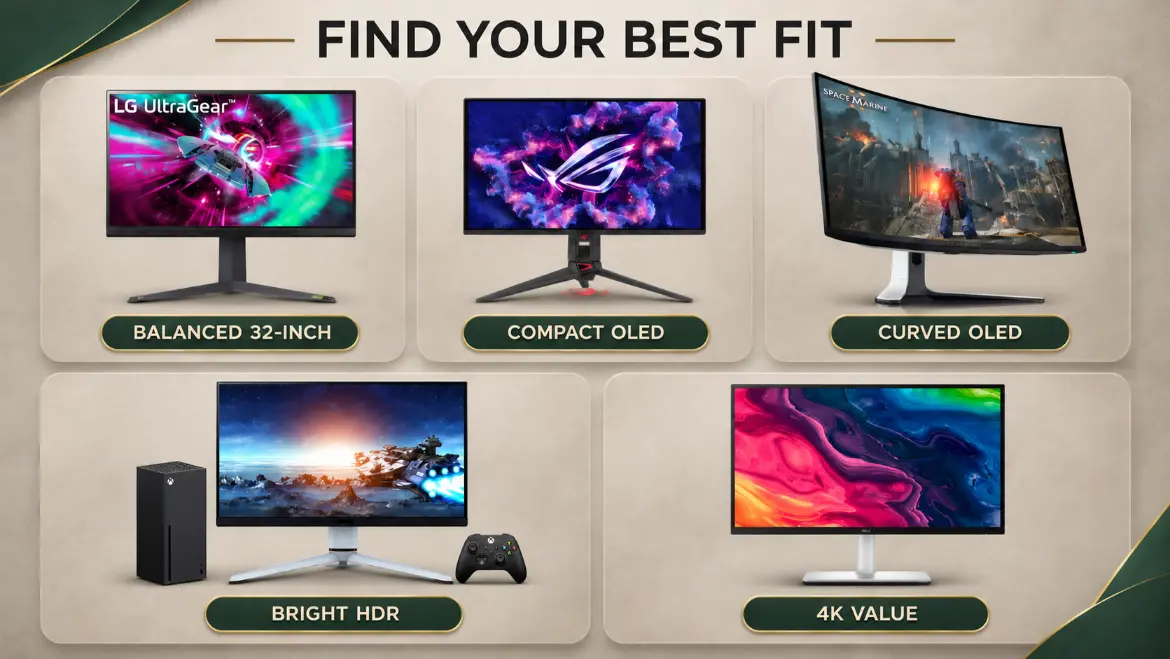
Choose the LG UltraGear 32GR93U-B if you want the most balanced best gaming monitor for Xbox Series X: 32-inch 4K clarity, 120Hz console support, VRR, and a practical IPS panel.
Choose the ASUS ROG Swift OLED PG27UCDM if you sit close, want the sharpest compact OLED option, and may connect a high-end PC later.
Choose the Alienware AW3225QF if a curved 32-inch QD-OLED screen, Dolby Vision, and cinematic dark-room gaming are your priorities.
Choose the BenQ MOBIUZ EX321UX if your room is bright or you want powerful HDR highlights without choosing OLED.
Choose the Dell S2725QS if you want the core Xbox features at a lower price tier: 4K, 120Hz, VRR, HDMI 2.1, and speakers.
Frequently Asked Questions
What Is the Best Gaming Monitor for Xbox Series X Overall?
The LG UltraGear 32GR93U-B is our best overall choice because its 32-inch 4K IPS panel, HDMI 2.1 connection, 144Hz ceiling, and VRR support fit the console without forcing buyers into premium OLED pricing. The best personal choice may differ if you prioritize OLED contrast, bright HDR, a compact desk, or value.
Does the Best Gaming Monitor for Xbox Series X Need HDMI 2.1?
HDMI 2.1 is needed for the most straightforward 4K/120Hz experience. HDMI 2.0 can support 120Hz at lower resolutions on compatible monitors, but it generally cannot deliver the same 4K/120Hz feature set.
Can the Best Gaming Monitor for Xbox Series X Be 144Hz?
Yes. The console will output up to 120Hz, so a 144Hz monitor works but leaves part of its maximum refresh rate unused. Confirm that the monitor accepts 120Hz through HDMI at the resolution you want.
Can the Best Gaming Monitor for Xbox Series X Be 240Hz?
Yes, but it cannot output 240Hz. A 240Hz monitor is worthwhile when it also provides OLED picture quality or when a gaming PC will share the screen. Do not buy it solely for the refresh-rate number.
Is a monitor better than a TV for Xbox Series X?
A monitor is often better for a close desk setup, lower input lag, high pixel density, and mixed PC use. A television is usually better for couch distance, larger screen sizes, built-in smart features, and room-filling audio. The right choice depends on where you sit and how you play.
Is 27 inches too small for 4K Xbox gaming?
No. A 27-inch 4K monitor looks extremely sharp at a normal desk distance. It is less suitable when you sit several feet away, where a 32-inch monitor or television is easier to see.
Is a curved monitor good for Xbox Series X?
Yes, particularly at 32 inches when you sit centered at a desk. Xbox uses a standard 16:9 image, so avoid buying an ultrawide monitor expecting native ultrawide output from the console.
Does every HDMI 2.1 monitor support 4K at 120Hz?
Do not rely on the port label alone. Confirm the manufacturer’s supported input modes and, ideally, independent console-compatibility testing. Bandwidth implementations and feature support can vary.
Does the best gaming monitor for Xbox Series X need Dolby Vision?
No. Dolby Vision is a useful bonus for compatible games and media, but it is not required for excellent 4K/120Hz play. HDMI compatibility, VRR, motion performance, contrast, and screen size usually affect more of your gaming time.
Final Verdict
The LG UltraGear 32GR93U-B is the best gaming monitor for Xbox Series X for most buyers because it uses the console’s valuable features without making premium OLED or Mini LED hardware mandatory. It is large enough to make 4K meaningful, fast enough for 120Hz games, and flexible enough for a shared work-and-play desk.
There is no single winner for every room. The ASUS PG27UCDM is the premium compact OLED choice, the Alienware AW3225QF is the cinematic curved OLED, the BenQ EX321UX favors bright HDR, and the Dell S2725QS delivers exceptional feature value.
Before ordering, verify the current official specifications, warranty, availability, and return terms. Then match the monitor to your desk depth, lighting, audio plan, and game preferences. That process will lead you to a better Xbox display than buying solely by refresh rate or brand name.
This article contains affiliate links. If you purchase through our links, we may earn a commission at no extra cost to you. We only recommend products we genuinely believe in. Read our Affiliate Disclaimer for full details.
Related Posts
Stay Informed With the Latest & Most Important News
Previous Post
Next Post









-
 01is 24 inch monitor good for gaming? Is It the Right Size?
-
 02How to Connect a Gaming Monitor to a PC Without Losing Hz
-
 03Are Curved Monitors Good for Gaming? Curved vs Flat Monitor
-
 04Is 120Hz Good for Gaming? Enough or Too Slow?
-
 055 Best Gentle CBD Products for Pets: Lower-Strength Oils and Chews
-
 06Best refresh rate for Gaming: 120Hz, 165Hz, or 240Hz?
-
 075 Best Budget Gaming Monitors for Competitive Play